
How to install Category AJAX Filter
Category AJAX Filter is a free plugin available on WordPress.org. Installing it takes about a minute using the standard WordPress plugin installer - no license key or account required.
In short
In your WordPress dashboard, go to Plugins → Add New Plugin, search for Category AJAX Filter, then click Install Now and Activate.
Installing from your WordPress dashboard
-
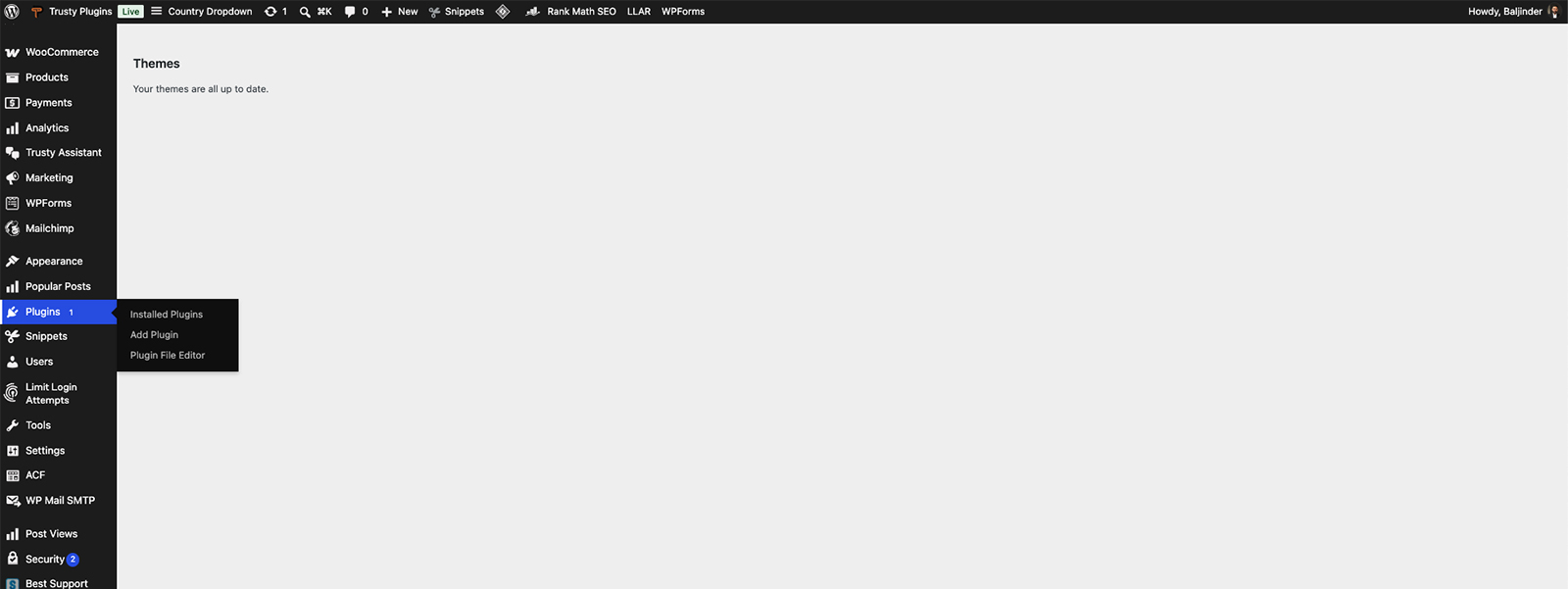
Go to Plugins → Add Plugin
In your WordPress dashboard, open Plugins in the left-hand menu, then click Add Plugin.
-
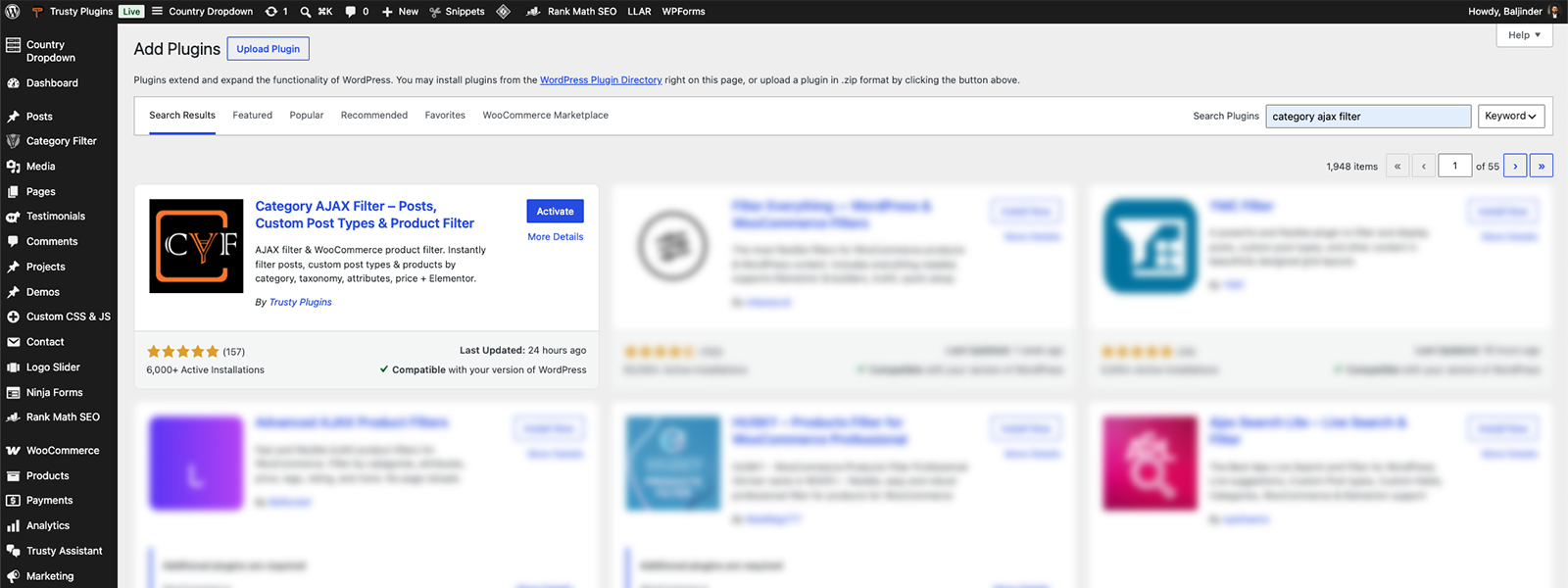
Search for Category AJAX Filter
Type Category AJAX Filter into the search box at the top right. The plugin appears as the first result.
-
Install and activate
Click Install Now. When it finishes, the button changes to Activate; click it to turn the plugin on. A new Category Filter menu appears in your dashboard, and that's where you create your first filter.

Tip
The free version never expires and doesn't need a license key. If you decide you need Pro features later, see How to install Category AJAX Filter Pro or How to upgrade from Free to Pro - your existing filters are kept.
Installing from a ZIP file
If your site can't connect to WordPress.org, upload the plugin manually.
- Download the plugin ZIP from its WordPress.org page.
- In your dashboard, go to Plugins → Add Plugin → Upload Plugin and choose the ZIP file.
- Click Install Now, then Activate.
FAQ
Do I need a license key for the free version?
No - the free version never needs a license key or account.
Does the free version expire?
No - it never expires, and you can keep using it for as long as you like.
Can I try CAF before installing it?
Yes. Open the Live Preview on WordPress.org to try the free builder in your browser, with nothing to install.
Was this page helpful?
Thanks for your feedback!