
How to add a custom class
Custom Class puts your own class name on an element, giving your stylesheet something to target.
In short
Open Custom Class and type a name into Add Custom Class. That name is added to the element on the frontend, so CSS you write elsewhere can style it. Write the name on its own - no leading dot
Adding a class
The group holds a single field. Type your class name into it and the element carries that class on the frontend. Leave off the dot - that belongs in the stylesheet, not here.
.my-shop-filter-title {
  letter-spacing: 0.02em;
}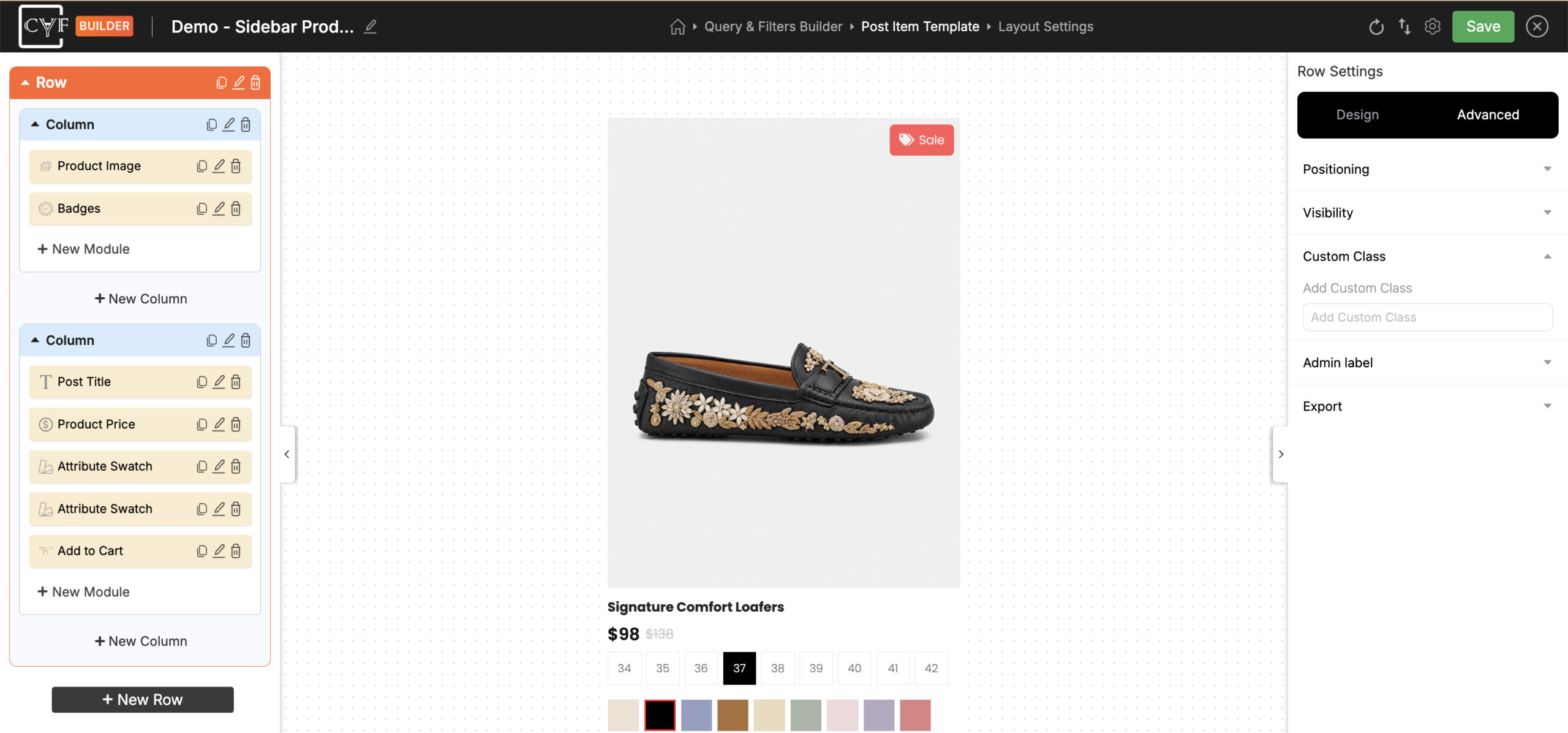
One field, holding the class name for that element.

Tip
Give your classes a prefix of your own - my-shop-filter-title rather than title. Themes and plugins use plenty of short class names, and a prefix keeps yours from colliding with theirs.

Note
Most styling is quicker through the Design tab, which needs no CSS and is set per device. Reach for a class when you'd rather keep the rule in your own stylesheet, or when you want the same rule applied across several filters at once.

Warning
Anything you write against this class depends on the name staying as it is. Renaming or clearing the field leaves that CSS pointing at nothing, and the styling quietly stops applying.
FAQ
Do I include the dot?
No - type the name on its own. The dot is only used when you write the rule in your stylesheet.
Where do I write the CSS itself?
In your theme or child theme stylesheet, or in the Custom CSS group of the Advanced tab.
Can my CSS override the Design tab?
It can, depending on how specific your rule is. If a rule doesn't seem to apply, that's usually why.
My styling stopped working - what happened?
Check the class name is still in the field. Renaming or clearing it leaves your CSS with nothing to match.
Was this page helpful?
Thanks for your feedback!