
Visibility settings
Visibility hides an element on the devices you choose, without removing it from your layout.
In short
Under Disable on, switch on Phone, Tablet or Desktop to hide the element on that device. Leave all three off and it shows everywhere. Filter modules don't have this group.
Hiding on a device
The group holds three toggles under the heading Disable on: Phone, Tablet and Desktop. Switch one on and the element is hidden on that device. You can switch on more than one, and the element stays in your layout throughout - nothing is deleted, so turning the toggle back off brings it straight back.
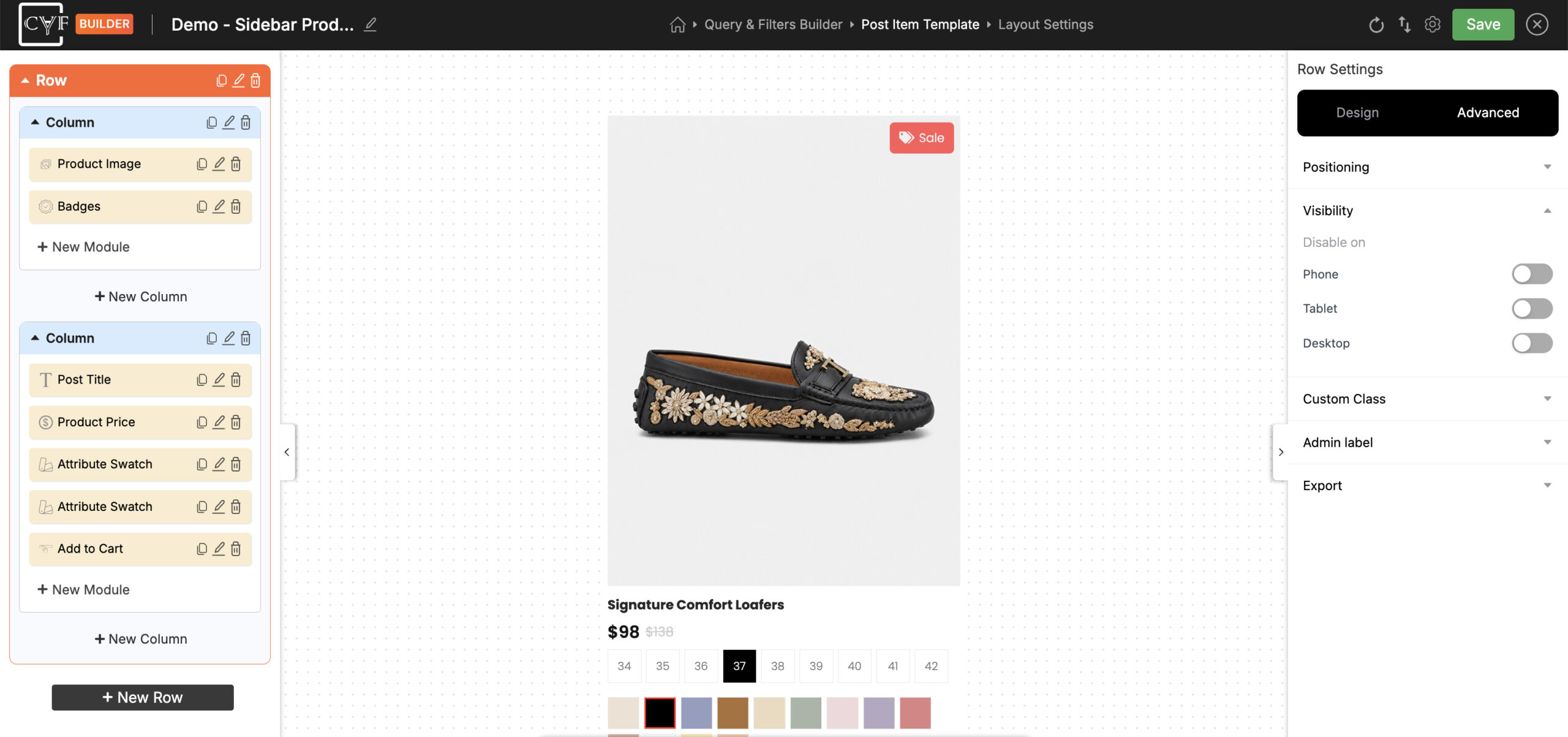
Switch on a device to hide the element there.

Tip
This is the tidiest way to thin out a busy listing on small screens. Hiding the post description and comment count on Phone leaves the image and title - the parts people actually scan on a phone - without touching the desktop design.

Note
Filter modules have no Visibility group. A hidden filter would still narrow the results, leaving visitors unable to see why items were missing - see Advanced tab.
FAQ
How do I hide something on phones only?
Switch on the Phone toggle under Disable on.
Does hiding an element delete it?
No - it stays in your layout and on every device you haven't disabled.
Can I hide an element on more than one device?
Yes - switch on as many of the three as you need.
Why doesn't my filter module have Visibility?
Filters can't be hidden, because a hidden filter would still affect the results.
Was this page helpful?
Thanks for your feedback!