
Box shadow settings
Box Shadow casts a shadow around an element, or inside it - the usual way to lift a filter panel off the page.
In short
Six controls: colour, horizontal and vertical position, blur, spread, and whether the shadow falls outside the element or within it. Nothing appears until you pick a colour and give the shadow some offset, blur or spread - everything starts at zero. Like the other groups, it has Default and Hover states and is set per device.
The controls
The four numeric controls each have a slider and a value, so you can drag for a rough result and then type an exact one.
| Control | What it does |
|---|---|
| Color | The shadow's colour. Until this is set there's nothing to see. |
| Horizontal Position | How far the shadow is offset to the left or right. |
| Vertical Position | How far the shadow is offset up or down. |
| Blur Strength | How soft the shadow's edge is. At zero it has a hard edge. |
| Spread Strength | How far the shadow extends beyond the element's own size. |
| Position | Whether the shadow falls outside the element or inside it. |
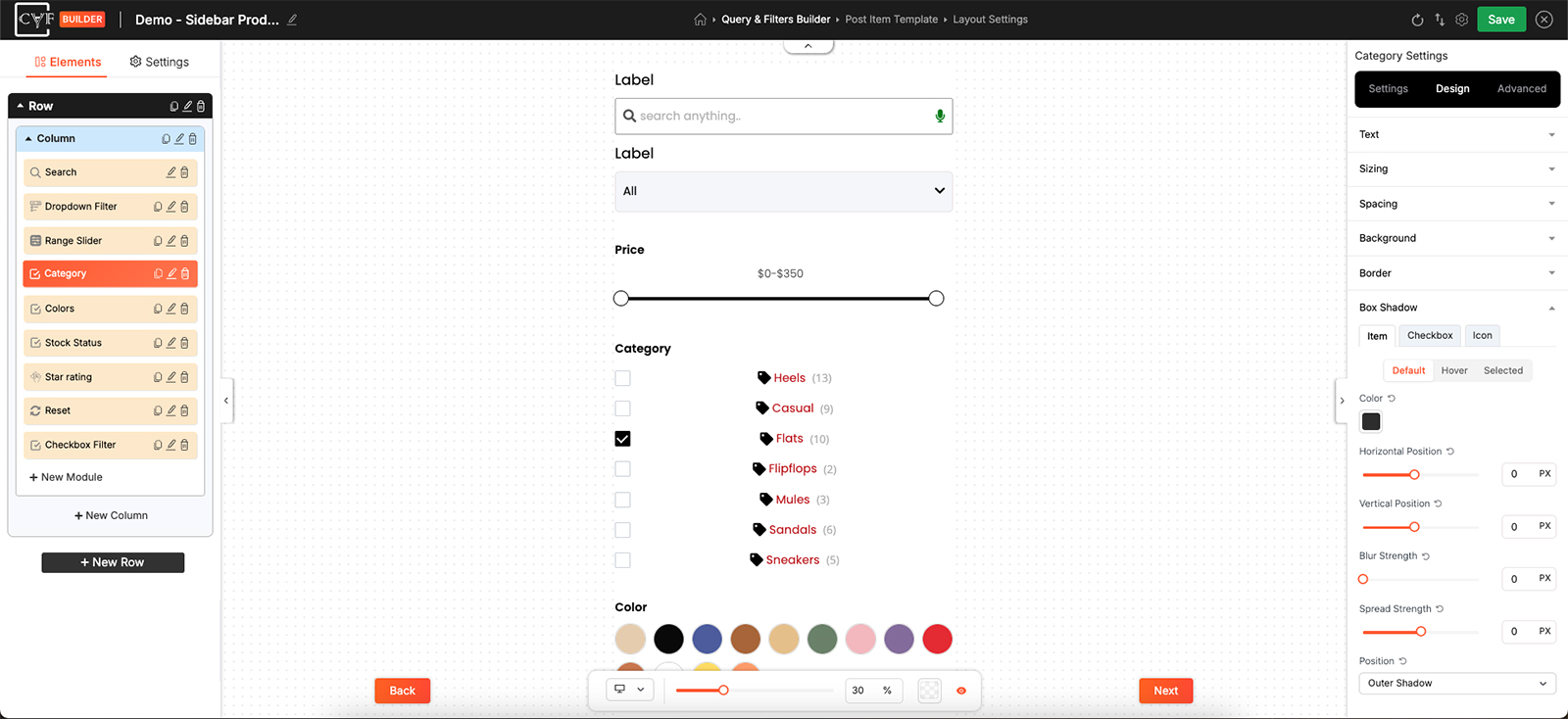
Everything starts at zero, so a shadow only appears once you set it up.

Note
If you've set a colour and still see nothing, check the numbers. With position, blur and spread all at zero the shadow sits exactly behind the element and stays hidden. Giving it a little vertical offset or blur is what brings it into view.

Tip
Shadows read better when they're barely noticeable. A colour at low opacity - set in the picker described under Background - with a generous blur and a small downward offset looks like depth. A dark, hard-edged shadow just looks like a second box.
Using Hover
A shadow that appears only on Hover is a light way to show an item is interactive. Leave Default without one, switch to Hover, and set the shadow there - the item then lifts as someone points at it and settles again when they move away.
Note
Box Shadow is per device. A shadow that suits a wide desktop layout is often too heavy on a phone - switch device in the bottom bar and soften it there.
FAQ
I set a shadow but can't see it - why?
Either no colour is set, or position, blur and spread are all still at zero, which hides the shadow directly behind the element.
What's the difference between blur and spread?
Blur softens the shadow's edge; spread makes the shadow itself larger before any blurring.
Can I show a shadow only on hover?
Yes - leave Default without one and set the shadow on the Hover state.
Can the shadow sit inside the element?
Yes - that's what the Position control is for.
Was this page helpful?
Thanks for your feedback!