
Where to download your copy
Category AJAX Filter Pro is downloaded from your order confirmation page the first time you purchase - and from My Account anytime after that.
In short
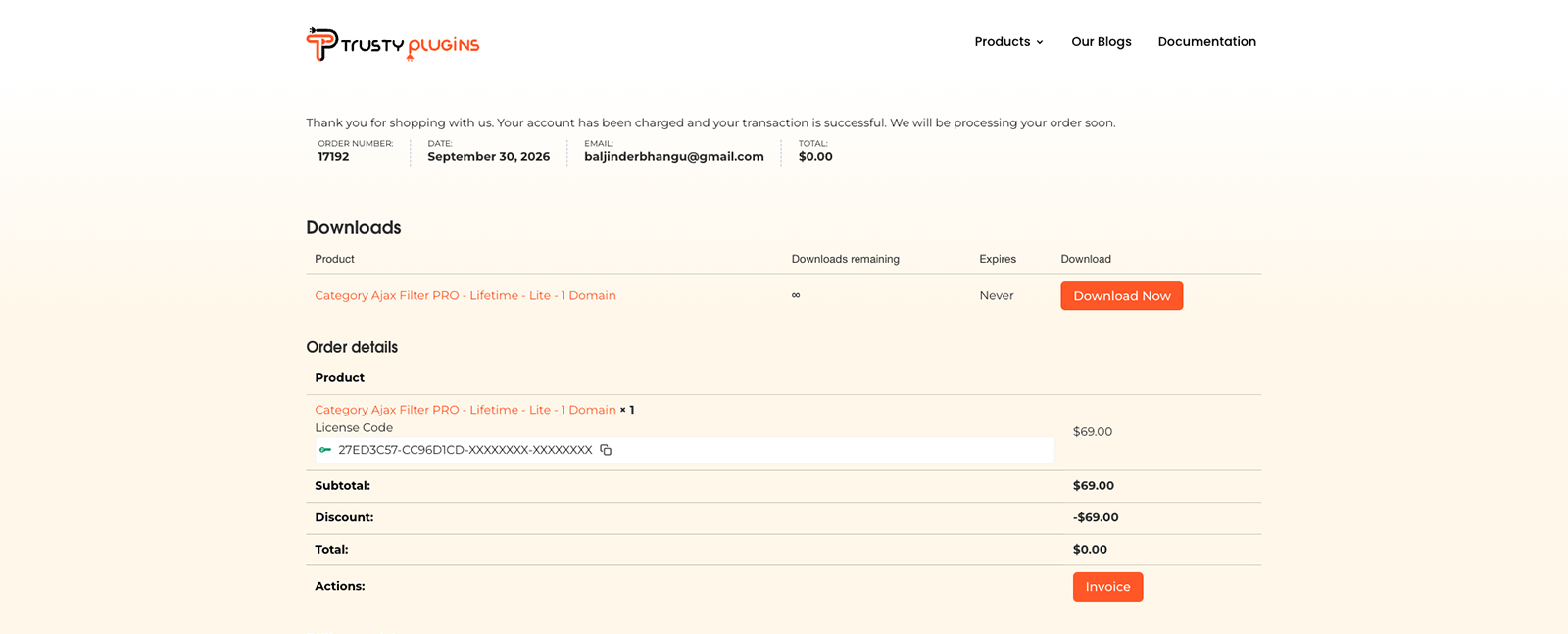
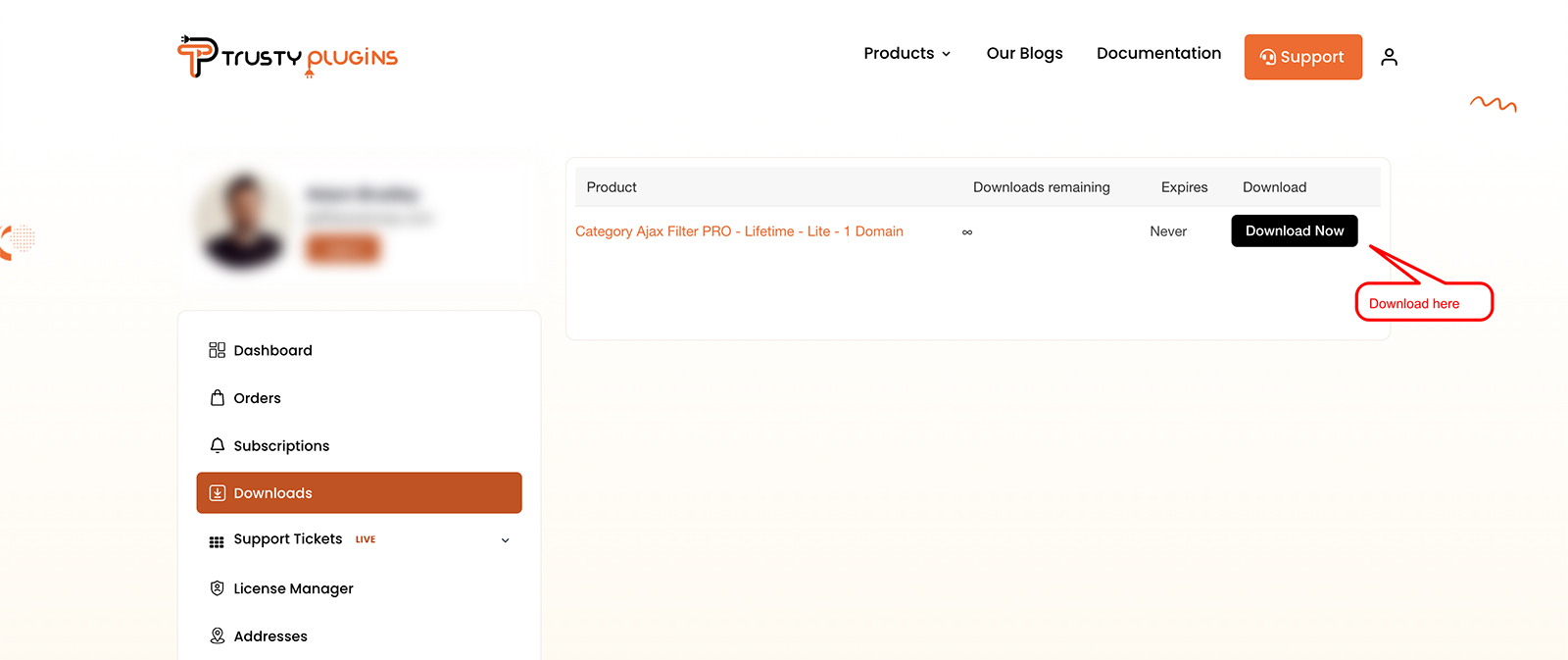
Right after you purchase, your order confirmation page shows a Download Now button - no separate login needed. Anytime after that, log in to My Account, go to Downloads, and click Download Now next to your plan.
Downloading Category AJAX Filter Pro
There are two ways to get your copy, depending on whether this is your first time or you're coming back for it again.
Right after you purchase
Your order confirmation page shows your download and license code together immediately after checkout - you don't need to log in separately. See Activating your license for what to do with the license code shown there.
Anytime after that
-
Go to My Account → Downloads
Log in at https://trustyplugins.com/login/, go to My Account, then click Downloads in the left-hand menu.
-
Click Download Now
Find your plan in the Product list, then click Download Now to get the plugin ZIP file.

Note
You can download your copy as many times as you need - there's no limit on redownloads. This screen always gives you the latest version; older versions aren't available here.
FAQ
Do I need to log in the first time?
No - right after purchase, the download is shown directly on your order confirmation page, along with your license code.
Can I download my copy more than once?
Yes - there's no limit, download it anytime you need to.
Can I download an older version?
No - only the latest version is available.
Was this page helpful?
Thanks for your feedback!