
What is dynamic terms count?
With dynamic counts on, the number beside each term recalculates as visitors filter, so it always reflects what's actually still available.
In short
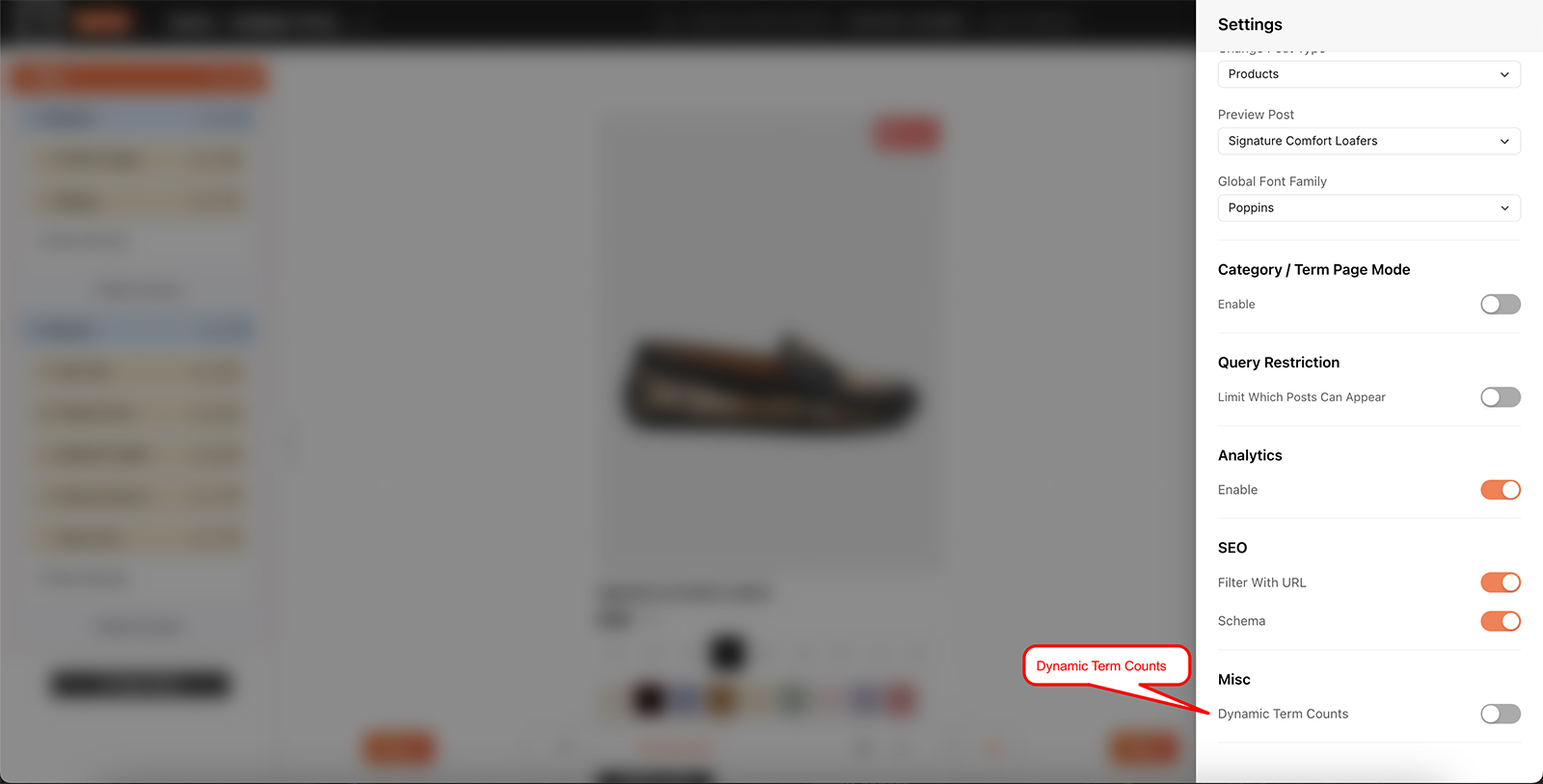
Switch on Dynamic Term Counts under Misc in Global Settings. Counts beside your terms then recalculate as visitors filter, and any term with nothing left to match is disabled so it can't be clicked. Show count, in each module's own settings, decides whether the number itself is visible - but empty terms are disabled either way.
What changes for visitors
A term count is the number shown beside a filter term - Sandals 3, Clogs 7. Left as a fixed figure, it tells a visitor how many items carry that term across the whole catalogue, which stops being true the moment they narrow anything down. Someone who has already picked a size still sees the full totals for every colour, and has no way of knowing which of those colours actually have anything in their size.
With dynamic counts on, those numbers are recalculated against the filters already applied. Pick a size and every colour count drops to what's genuinely available in that size. Anything that falls to zero is disabled outright, so visitors can see where the results are before they click and can't pick a combination that returns nothing.
The number beside each term, kept in step with what's still available.

Note
Empty terms are disabled rather than hidden. The list stays in the same order and the same length as visitors narrow things down, which is far easier to scan than options appearing and vanishing - and a greyed-out term still tells them that combination has nothing in it.

Warning
Show count and Dynamic Term Counts do different jobs. Show count, in each module's Settings tab, decides whether a number appears beside a term at all. Dynamic Term Counts decides whether those numbers stay accurate as visitors filter - and disables terms that reach zero. With Show count off you get the disabling without the numbers.

Tip
This matters most on catalogues with several filters that overlap - size, colour, brand. The more ways there are to combine filters, the more dead ends a visitor can wander into, and the more a live count saves them.
Turning it on
It's a filter-wide setting, so it lives in Global Settings behind the gear icon in the top bar - the same place as Change post type. Switch it on and it applies across the whole filter.
The setting is called Dynamic Term Counts and sits under Misc, at the foot of the panel. If you also want visitors to see the numbers, switch on Show count in each filter module's own Settings tab - that's a separate, per-module choice.
FAQ
I can't see any numbers - why?
Show count is off in that module's Settings tab. Dynamic Term Counts keeps counts accurate and disables empty terms; Show count decides whether the number is displayed.
What do the counts show without this?
A fixed total for each term that doesn't change as visitors filter.
What happens to a term when it reaches zero?
It's disabled, so visitors can't select it. It stays in the list rather than disappearing.
Is this per module or per filter?
Per filter - it's a Global Settings option and applies to the whole build.
Do I need Pro for this?
Yes - dynamic counts are a Pro feature.
Was this page helpful?
Thanks for your feedback!