
Custom field module
Anything else your posts hold, shown in the listing.
In short
The Custom Field module shows the value of any custom field on each result. Point it at a field, and add a prefix or suffix - text or an icon - to give the value a label or a unit. Place it more than once to show several fields.
Why this one matters
Every other post module shows something WordPress already knows about: a title, a date, an author, a set of terms. This one shows whatever you've decided your content holds.
That's what makes it the module for listings that aren't blog posts. A property listing has bedrooms and a floor area; an events listing has a venue and a start time; a directory has a phone number and an area covered. None of those are titles or dates, and all of them live in custom fields.
Choosing the field
Select Field points the module at one field, listed by its meta key. It then shows that field's value for each result, so the same module produces a different value on every item.
It reads one field at a time. To show several, place the module several times and point each copy at a different field.
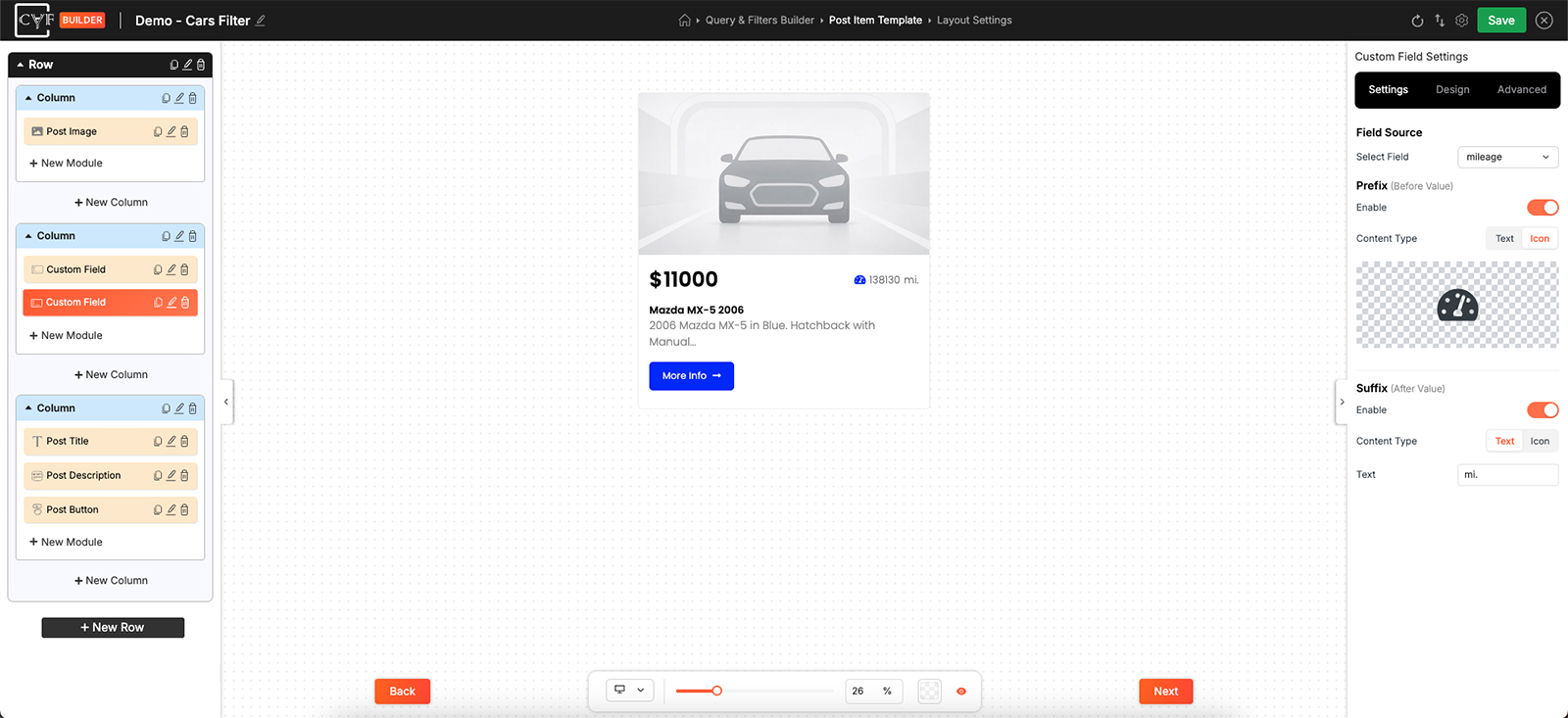
One field per module, chosen by its meta key.
Prefix and Suffix
The date comes from the post. What you can add is something before it and something after it.
| Setting | What it does |
|---|---|
| Prefix | Something before the value. Switch it on, choose Text or Icon, and set it. |
| Suffix | Something after it. Same again, chosen separately. |
These do more work here than in most modules, because a raw field value often means nothing on its own. A number needs a unit after it or a label in front of it before anyone can tell what it counts, and an icon in front can do the labelling in less space than a word.
Between them the two sides cover both jobs: a prefix names what the value is, a suffix says what it's measured in.

Tip
Check what shows on a post where the field is empty. Not every result will have every field filled in, and a stray prefix and suffix with nothing between them is worse than showing nothing at all.
Styling
How it looks comes from the Design tab, with the usual groups - Layout, Text, Sizing, Spacing, Background, Border and Box Shadow - and Layout arranges the value against whatever sits either side of it.
Where you're showing several fields, style them the same. A row of values that share a look reads as a set of specifications; the same values styled differently read as unrelated bits of text that happen to be near each other.
FAQ
Can one module show several fields?
No - it reads one field. Place the module again for each additional field.
How do I add a unit after the value?
Switch on the suffix and set the text.
Can the label be an icon rather than a word?
Yes - set the prefix Content Type to Icon.
The value is showing but means nothing on its own.
That's what the prefix and suffix are for - a label in front, a unit after.
What happens on a post where the field is empty?
There's no value to show. Check how the item reads in that case before relying on the module.
Was this page helpful?
Thanks for your feedback!