
Border settings
Border draws a line around an element and rounds its corners - you choose which edges it appears on, and each corner separately.
In short
Border covers radius, position, width, colour and style. Radius is set per corner, and Border Position decides which edges the line appears on - so an element can carry a border on one edge alone, or round only the corners you want. Like Background, it has Default and Hover states, plus Selected on Checkbox and Dropdown filter items.
The controls
Border sits in the Design tab of any element. On a filter module it belongs to the part you're on, so a border set on Container outlines the whole module while one set on a single item outlines that item.
| Control | What it does |
|---|---|
| Border Radius | How rounded each corner is, set per corner. The button in the middle links all four so they change together. |
| Border Position | Which edges the border appears on - every side, or a single edge. |
| Border Width | How thick the border is. |
| Border Color | The border colour. |
| Border Style | Solid, dashed, dotted and the like. |
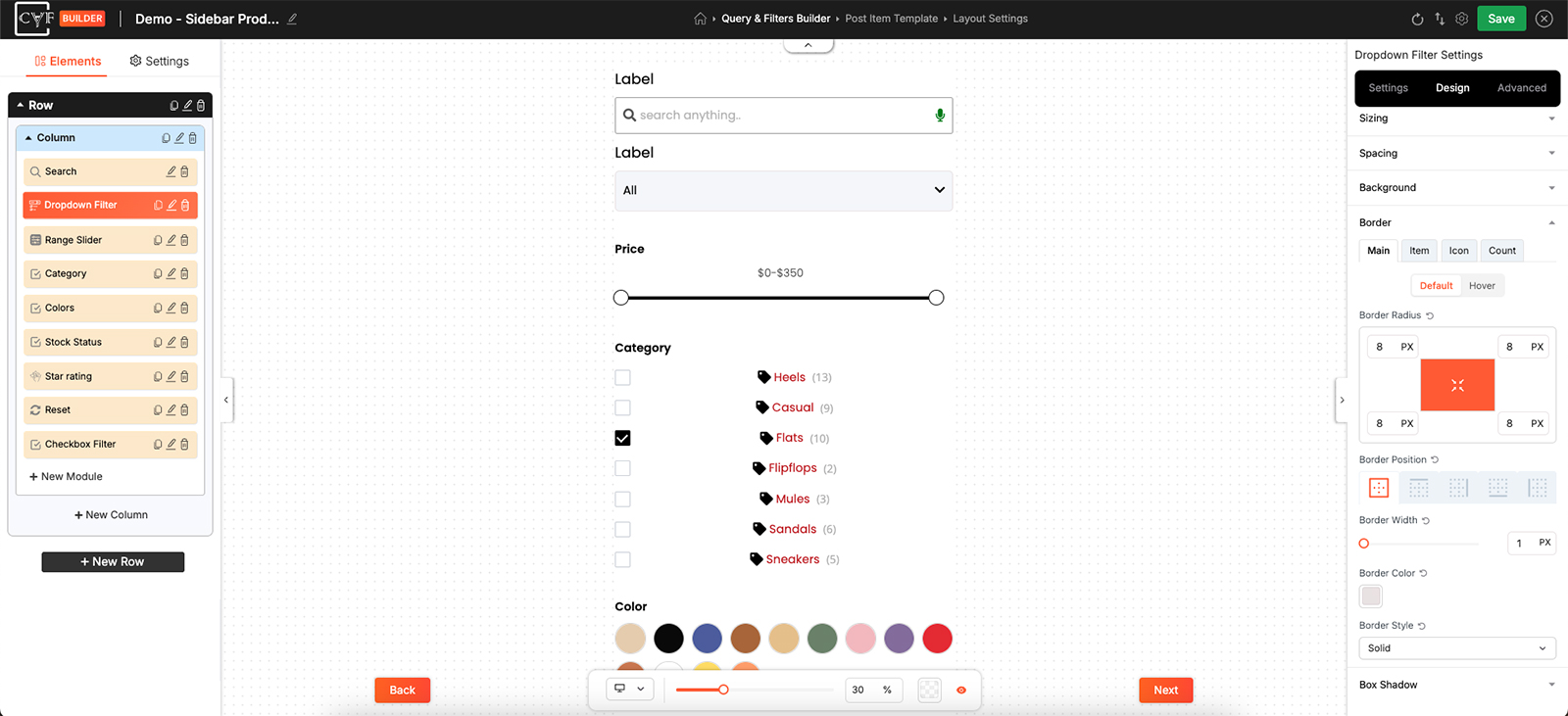
Radius per corner, with position deciding which edges get a line.

Tip
A line on the bottom edge alone is an easy way to separate stacked filter items without boxing each one in. Set Border Position to the bottom edge and leave the width thin - you get dividers rather than a grid of boxes.
Default, Hover and Selected
Border carries the same states as Background: Default and Hover everywhere, plus Selected on Checkbox and Dropdown filter items, which styles the term a visitor has currently chosen.
A border is often the tidier way to mark a selected term. Where a filled background can fight with the text on top of it, an outline reads clearly without changing the item's colour scheme.

Note
The border colour is a flat colour - the Single and Gradient choice described under Background doesn't apply here.
Note
Border values are per device, like the rest of the Design tab. Switch device in the bottom bar before changing one.
FAQ
Can I put a border on just one side?
Yes - use Border Position to pick which edge it appears on.
Can I round only some corners?
Yes - radius is set per corner. The button in the middle links all four if you'd rather change them together.
Can a border use a gradient?
No - border colour is a flat colour.
Can the border change when a term is selected?
Yes - use the Selected state on a Checkbox or Dropdown filter item.
Was this page helpful?
Thanks for your feedback!