
How to add custom CSS
Custom CSS gives you a code editor inside the panel, for rules you'd rather write by hand.
In short
Open Custom Css and write ordinary CSS into the editor - complete rules, selector and all, exactly as you'd write them in a stylesheet. It's a code editor with line numbers rather than a plain field. Where what you've selected is built from several parts, an inner tab shows which part the group belongs to.
Writing your rules
The editor takes complete CSS rules. You write the selector yourself, so the syntax is no different from a stylesheet - there's nothing plugin-specific to learn.
..my-shop-filter-title {
  font-weight: 600;
  letter-spacing: 0.02em;
}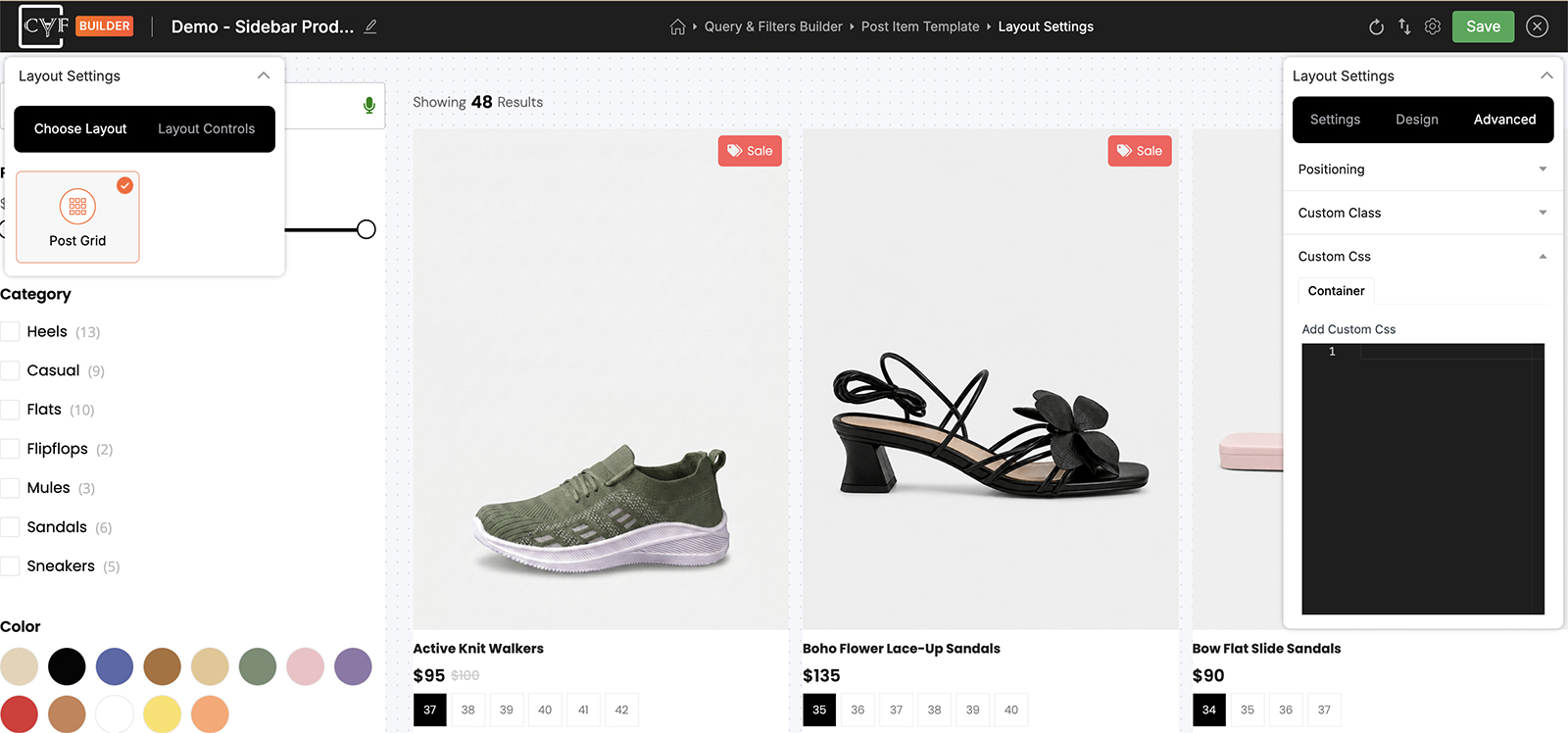
A code editor with line numbers, not a single-line field.

Tip
Because you supply the selector, this pairs naturally with Custom class: put a class of your own on the element there, then target that class here. It's more dependable than guessing at whatever markup the plugin generates, which can change between versions.

Note
Try the Design tab first. It covers colour, spacing, borders, typography and the rest without any code, and its values are set per device. Custom CSS earns its place for the things the Design tab doesn't reach.
Note
Which elements offer Custom Css varies, in the same way the other Advanced groups do - see Advanced tab. If you can't find it on one element, check the one that contains it.
FAQ
Do I write the selector myself?
Yes - full rules, exactly as you would in a stylesheet.
What selector should I target?
Add your own class in Custom Class, then target that. It's more reliable than depending on the plugin's own markup.
Should I use this or the Design tab?
The Design tab first - it's quicker and works per device. Use Custom CSS for what it doesn't cover.
My rule isn't applying - why?
Usually specificity: an existing rule is more specific than yours. Check the selector matches the element too.
Was this page helpful?
Thanks for your feedback!