
What is the Advanced tab?
The Advanced tab holds everything that isn't styling - where an element sits, whether it shows at all, your own classes and CSS, a label for your own reference, and exporting the element.
In short
Advanced sits beside Design on every row, column and module. Its groups cover Positioning, Visibility, Custom Class, Custom CSS, Admin label and Export. Not all of them appear everywhere - Visibility is offered on the elements that make up your listing, but deliberately not on filter modules.
The groups
Where the Design tab decides how an element looks, Advanced decides how it behaves and how you get at it from outside the builder.
| Group | What it covers |
|---|---|
| Positioning | Where the element sits relative to what's around it. |
| Visibility | Whether the element shows at all. Offered on listing elements, not on filters. |
| Custom Class | Your own class name on the element, to target it from a stylesheet. |
| Custom CSS | CSS written directly against this element. |
| Admin label | A name for the element in the Elements tree, for your reference only. |
| Export | Exports this element on its own as a JSON file. |
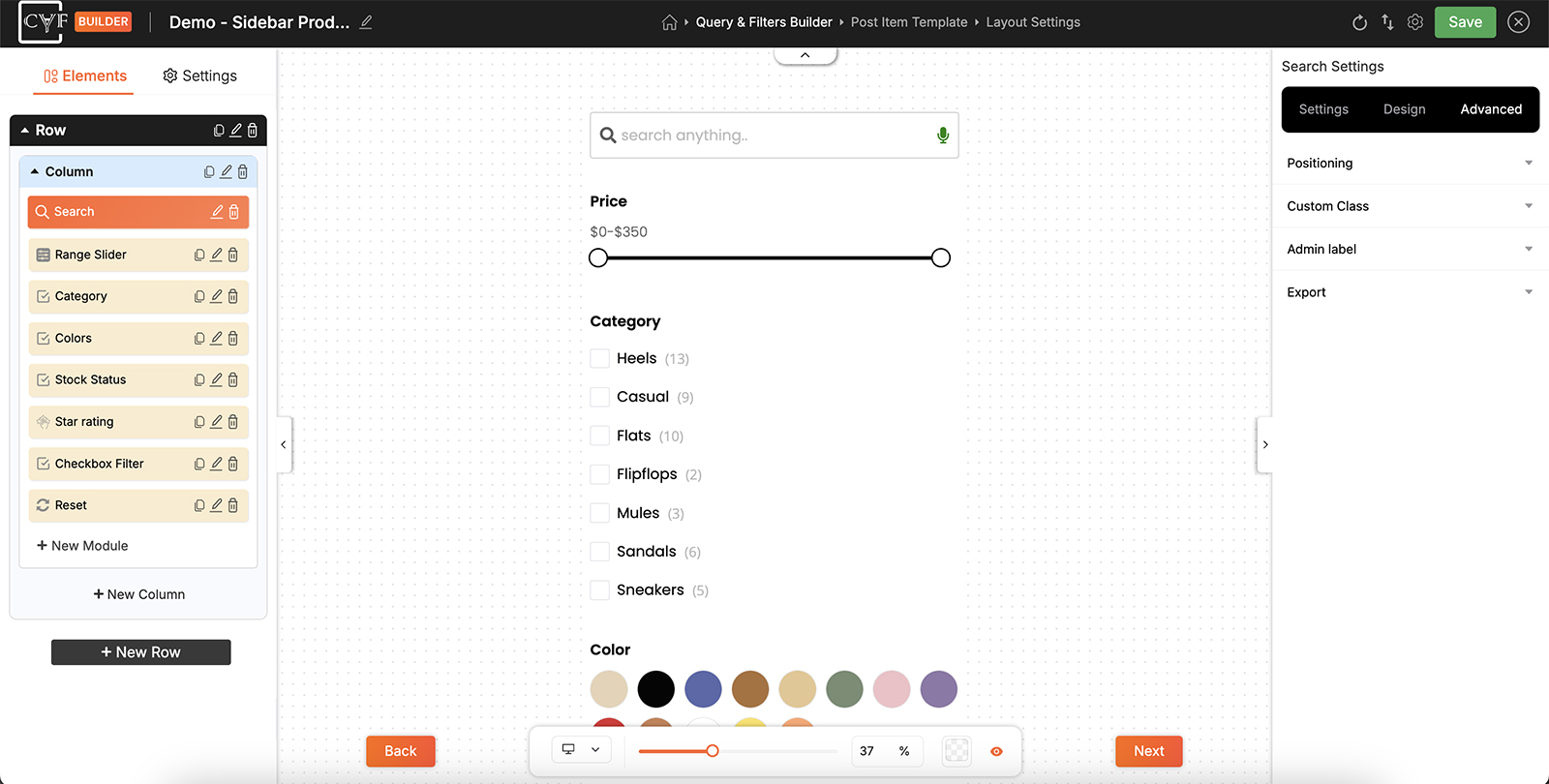
Advanced covers behaviour rather than appearance.
Why filters have no Visibility
Open the Advanced tab on a row in your listing and you'll find Visibility. Open it on a filter module and you won't - and that's deliberate rather than an omission.
A hidden filter would still be part of the query. Visitors would see a set of results narrowed by something they can't see and can't change, with no way to work out why items are missing. Rather than allow that, filters simply aren't hideable. If you don't want a filter on the page, remove the module instead of hiding it.

Note
This is one of the places where the Advanced tab differs by element, in the same way the Design tab changes with what you've selected. Read the groups in front of you rather than expecting the same list every time.
FAQ
Why doesn't my filter module have Visibility?
Filters can't be hidden. A hidden filter would still narrow the results, leaving visitors unable to see or change why items are missing. Delete the module instead.
Where do I add a CSS class to an element?
Custom Class, in the Advanced tab.
What is the Admin label for?
Renaming an element in the Elements tree so you can tell similar ones apart. It's for your reference and doesn't show on the frontend.
Can I export just this element?
Yes - the Export group at the bottom of the Advanced tab exports that element on its own.
Was this page helpful?
Thanks for your feedback!