
Pagination settings
How visitors reach the results that didn't fit on the first page.
In short
Items Per Page decides how many results appear at once; Pagination decides how visitors get to the rest. Four types are offered - Numbers With Buttons, Numbers, Buttons and Load More - and the settings that follow change with the one you pick. Styling splits three ways: the container, the buttons, and the numbers, with the current page getting a state of its own.
Choosing a type
| Pagination Type | What the visitor gets | Plan |
|---|---|---|
| Numbers With Buttons | Page numbers, with previous and next either side. | ★ PRO |
| Numbers | Page numbers on their own. | ✓ FREE |
| Buttons | Previous and next only, with no numbers. | ★ PRO |
| Load More | A single button that adds the next set of results below the ones already showing. | ★ PRO |
More ways to page through results
Numbers is the type you get on the free version. With CAF Pro the dropdown opens up to three more - Numbers With Buttons, Buttons and Load More - so visitors can step through with previous and next, or keep adding results to the page they are already on instead of leaving it.
How many results each page holds is Items Per Page, set on Step 3 : Layout.
The settings underneath the dropdown follow the type you chose, so you only ever see the ones that apply.
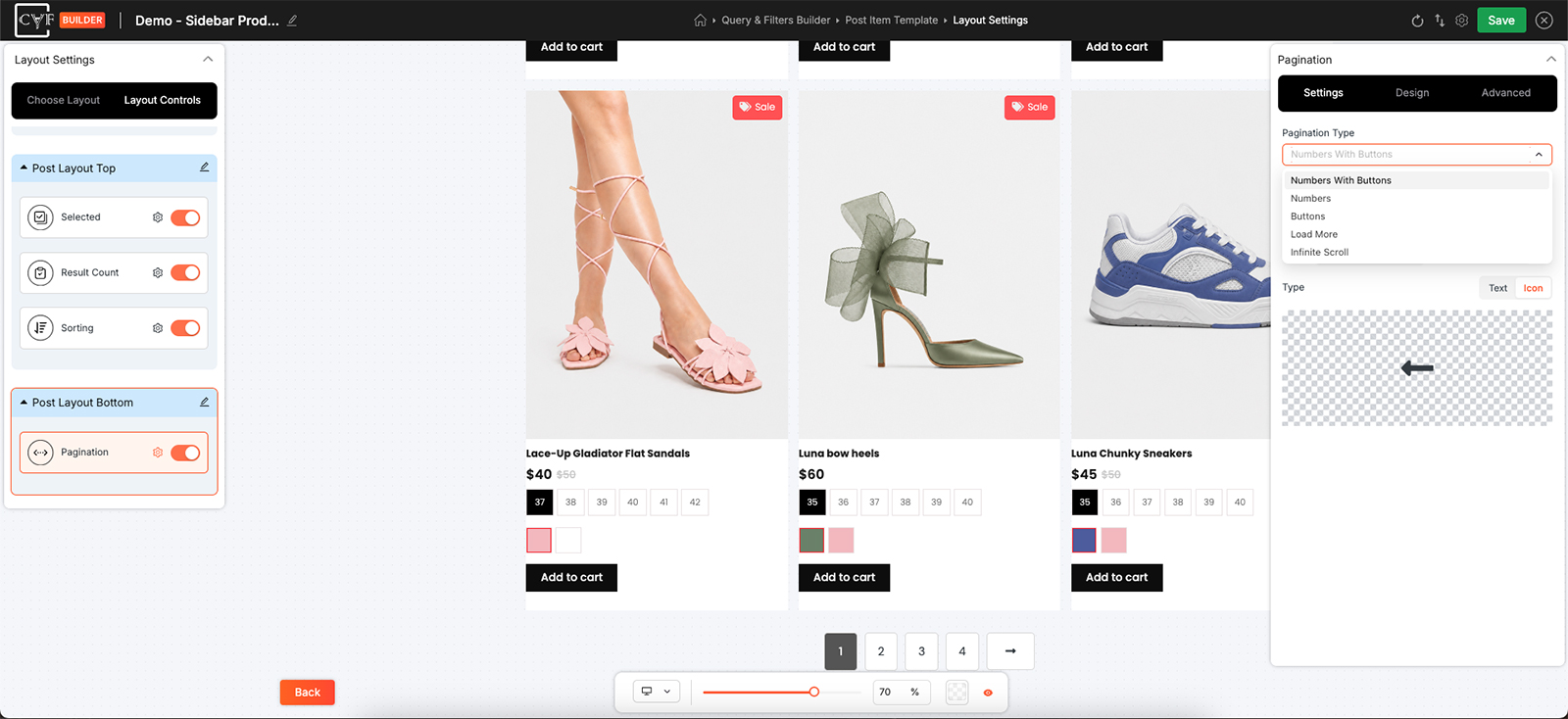
Four types, each bringing its own settings.
When numbers are shown
A listing with sixty pages can't show sixty numbers, so the run is shortened and the gap marked with an ellipsis. Show Ellipsis turns that marker on, and Ellipsis Symbol is the character used for it - you're not stuck with three dots if something else suits the design better.
When buttons are shown
Previous and Next are configured separately, on their own tabs, so they don't have to match. Each takes a Type: Text, where you write the wording, or Icon, where you pick the icon to use.
Load More
Load More has two settings of its own: the wording on the button, and an Icon switch with an icon to go alongside it. Unlike the other three types this one doesn't replace what's on screen - each press adds the next set beneath the results already there.

Tip
Load More suits phones, where tapping a small page number is fiddly and scrolling is natural. Numbers suit a long archive someone might want to come back to halfway through, since a page number is something they can find their way back to.
Styling
The Design tab splits into three targets.
| Target | What it styles |
|---|---|
| Container | The block the whole thing sits in. |
| Button | Every button - previous, next and Load More alike. |
| Numbers | The page numbers. Styling any one of them styles all of them - with a Selected state for whichever page the visitor is on. |
There's no styling one number differently from another, which is the sensible behaviour - a row of page numbers should look like a row of page numbers. The one exception is the page the visitor is currently on. Alongside Default and Hover, the Numbers target has a Selected state, so the current page can be marked out from the rest.
It's worth setting both. Hover tells people a number can be clicked, and Selected tells them where they are - without it, a row of identical numbers gives no clue which page they're looking at.
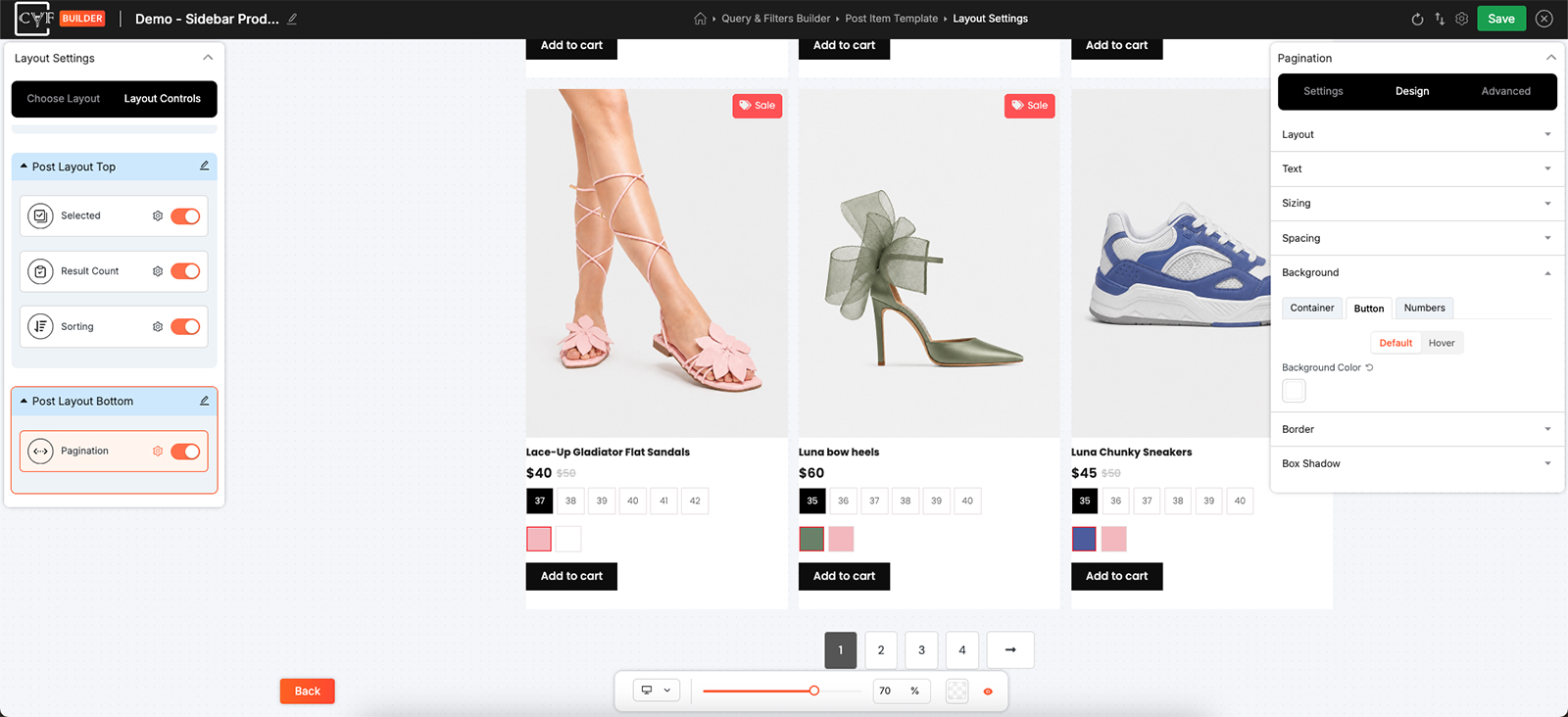
Buttons together, numbers together.
Where to put it
Below the results is where people expect it. See layout controls for the four positions.
FAQ
How many results are on a page?
Whatever Items Per Page is set to, in Layout Settings.
Can I have a Load More button instead of page numbers?
Yes, with Pro - set Pagination Type to Load More. Numbers is the type available on the free version.
What's the ellipsis for?
It marks the gap where page numbers have been left out of a long run. Show Ellipsis turns it on, and you choose the symbol.
Can previous and next be different?
Yes. Each is set on its own tab, and each can be text or an icon.
Can I style one page number differently?
Not individually, but the page the visitor is on can look different - that's the Selected state on the Numbers target.
How do I show which page someone is on?
Style the Selected state under Numbers.
Why can't I see the button settings?
The type you've chosen doesn't use buttons. The settings follow the Pagination Type.
Was this page helpful?
Thanks for your feedback!