
Result count settings
Telling visitors how many results their choices found.
In short
Result Count shows the number of results the current selection returned. The number is the fixed part; the words around it are yours. A prefix goes before it and a suffix after, each with its own on/off switch and its own text. The Design tab can style the prefix and suffix separately from the rest.
Prefix and suffix
The count itself updates on its own as visitors filter. What you control is the wording around it, in two parts.
| Setting | What it does |
|---|---|
| Prefix | Words before the number. Switch it on and type them in. |
| Suffix | Words after the number. Same again. |
Use both and the count reads as a sentence. Turn one off and only the other side remains; turn both off and you get the bare number, which is enough when it sits next to a heading that already says what's being counted.
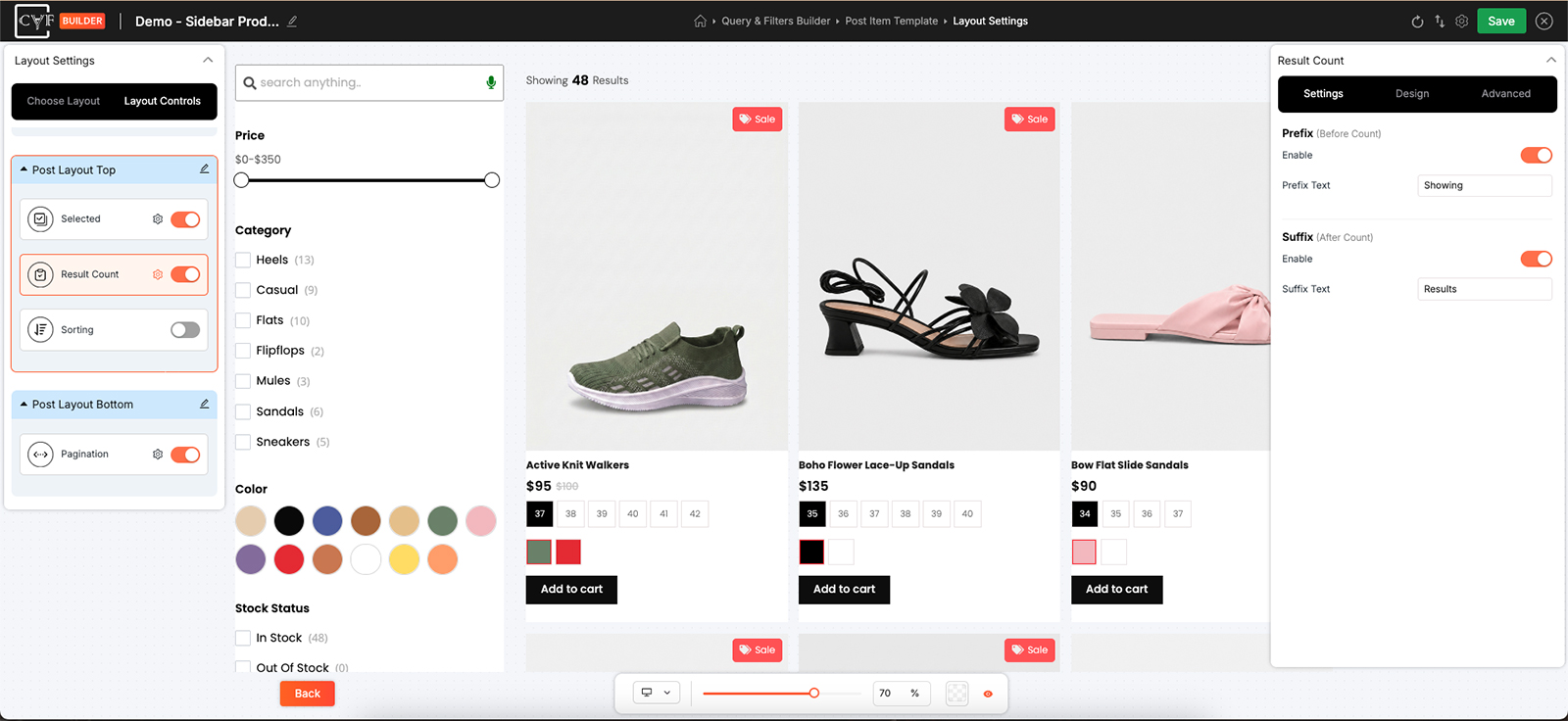
Two switches and two text fields.

Tip
Write the wording so it survives every number. A plural suffix reads well until a filter returns exactly one, and then it doesn't - wording that stays correct whether the count is 1 or 100 saves you the problem.
Styling the parts separately
On the Design tab, the Text group offers three targets rather than one: All, Prefix and Suffix. All covers the whole line; the other two let you treat the words differently from everything else. Only the parts you've switched on are there to style - turn the suffix off and there's nothing for a suffix target to do.
There's no separate target for the number, which turns out to be the useful bit: set the look you want for the number under All, then dial the prefix and suffix back - lighter, smaller, less weight - and the number is what the eye lands on.
Default and Hover are offered too, though a count nobody clicks rarely needs a hover state - it earns its place when the count sits inside something that is clickable.
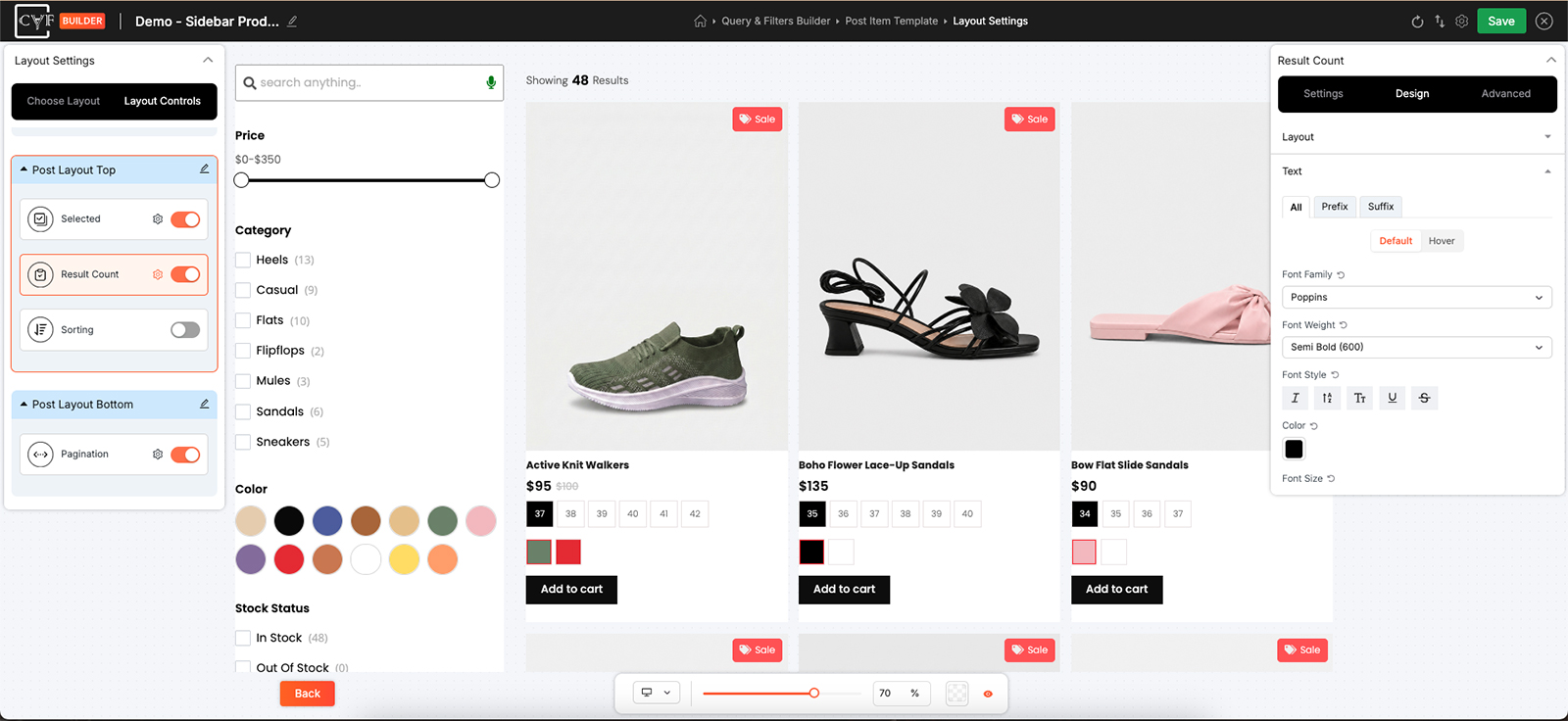
Three targets, so the words can differ from the number.
Where to put it
Above the results is where people look for it, usually beside the sorting dropdown - both in the same position, arranged with that position's Layout group. See layout controls.
FAQ
Can I change the wording?
Yes - the prefix and suffix text are both yours.
Can I show just the number?
Yes. Turn both the prefix and the suffix off.
Does the number update as visitors filter?
Yes - it reports the current selection.
Can the number look different from the words?
Yes. Style All the way you want the number, then set Prefix and Suffix differently.
Why can't I style the suffix?
It's switched off. Turn it on and it becomes available.
Was this page helpful?
Thanks for your feedback!