
How to include & exclude posts
Deciding which posts a filter is allowed to show, before the visitor narrows anything.
In short
Query Restriction is a Pro feature, and it sets the pool of posts a filter can draw from. Turn on Limit which posts can appear, then use Include by, Exclude by, or both. Each offers None, Terms or Specific Posts - so you can allow only certain categories, keep particular posts out, or do both at once. Whatever the visitor selects afterwards narrows things further inside that pool; it can never bring back something the pool left out.
Where to find it
Query Restriction is on the Settings tab of the left panel, alongside Elements. That panel belongs to Design Filters mode, so this is the tool for limiting results when your visitors have a filter to use - Query Only mode has Build Your Query instead. The two are independent: restricting the pool here has nothing to do with the conditions built over there.
What it does
Think of it as drawing a boundary around the results before anyone arrives. Everything inside the boundary is available to the filter; everything outside it is unreachable. The visitor's selections then work within that boundary - they narrow what's left, and no combination of choices can pull in a post the boundary excluded.
Turn on Limit which posts can appear and the Include by and Exclude by options become available. You can use one, the other, or both together.
Include by and Exclude by
Both work the same way, in opposite directions: Include by says what's allowed in, Exclude by says what's kept out. Each offers the same three choices.
| Option | What it means |
|---|---|
| None | No restriction of this kind. Leave both on None and nothing is limited. |
| Terms | Work by taxonomy. Choose a taxonomy, then the terms - everything in those terms is allowed in, or kept out. |
| Specific Posts | Work by individual post. Name the exact posts to allow in, or to keep out. |
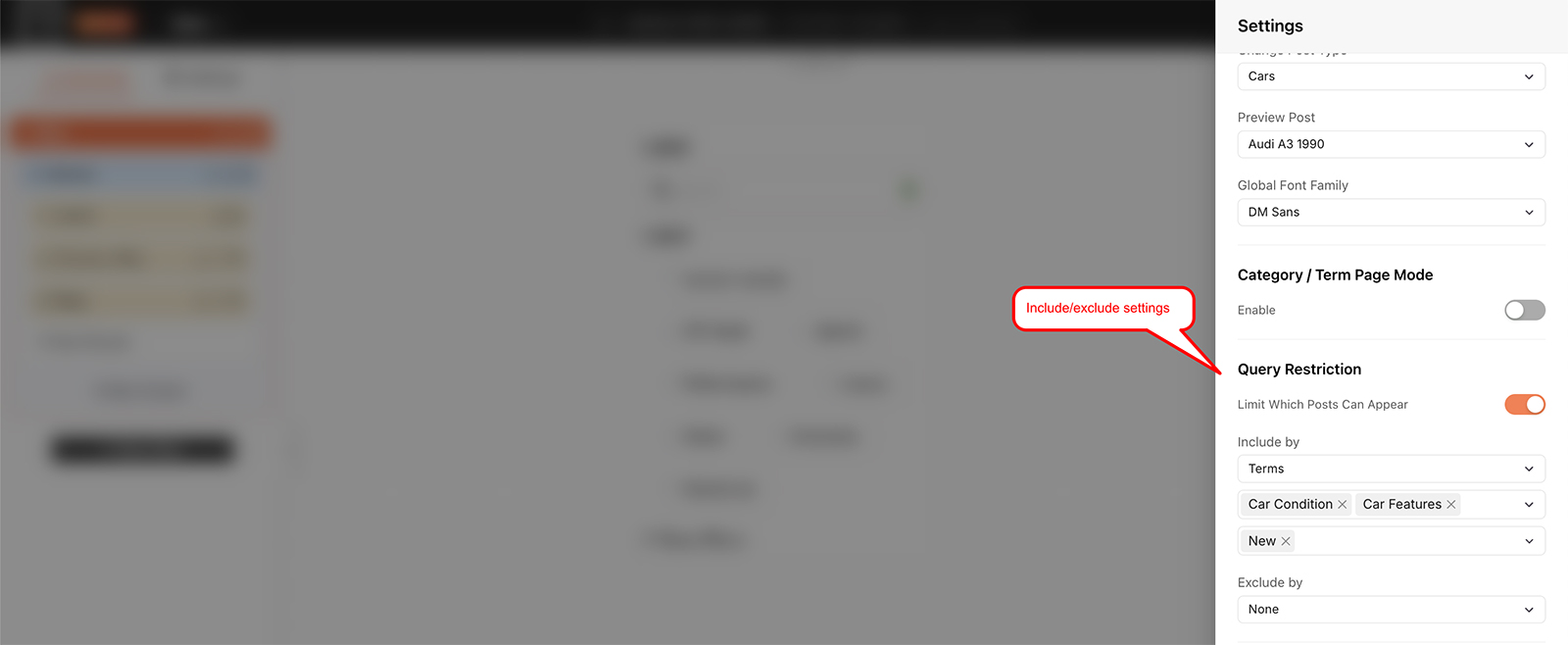
Include by and Exclude by, each offering None, Terms or Specific Posts.

Note
Restricting the pool doesn't change what the filter offers the visitor. A category still appears as a choice even if the pool excludes everything in it - the visitor picks it and gets nothing back. If a choice shouldn't be on offer at all, take it out of the filter as well.

Tip
Exclude by Specific Posts earns its keep on a shop: a discontinued line, a gift card, a sample product you never want turning up in a filtered list. Naming those few posts is quicker than shaping a rule around them, and it leaves the rest of the filter alone.
Nearby on the same panel
Select Taxonomy Relation sits just above Query Restriction, and it does something different - it governs how one taxonomy relates to another when a visitor filters. That's covered on Taxonomy relation.
FAQ
Where is Query Restriction?
On the Settings tab of the left panel, in Design Filters mode.
Is this the same as building a query?
No. Build Your Query belongs to Query Only mode. Query Restriction limits the pool for a filter that has a visible filter UI, and the two are set separately.
Can I use include and exclude together?
Yes - use one, the other, or both.
How do I keep a handful of posts or products out?
Set Exclude by to Specific Posts and name them.
How do I show only one section of the site?
Set Include by to Terms, choose the taxonomy, then the terms that section uses.
Can a visitor get to an excluded post through the filter?
No. The restriction sets the pool, and the visitor's choices only narrow what's already in it.
Was this page helpful?
Thanks for your feedback!