
How to upload custom fonts
Upload your own font once and it joins the Google Fonts in the font selector, ready for any filter on your site.
In short
Custom fonts are added in Plugin Settings, which you open from the All Filters screen rather than from inside the builder. Choose a TTF file, check the font family name CAF reads from it, and click Upload Font. It then appears in the Global Font Family selector for every filter you build.
Where custom fonts live
This one sits outside any individual filter. A font you upload belongs to the plugin rather than to one build, so it's added from Plugin Settings on the All Filters screen - not from the Global Settings panel inside the builder, where you'd pick a font rather than supply one. See Global fonts for choosing one once it's there.
Uploading a font
-
Open Plugin Settings
Go to the All Filters screen and open Plugin Settings. Custom Fonts is the section you want.
-
Choose your TTF file
Click Choose TTF File and select the font from your computer. TTF is the format accepted here, so convert anything else before you start.
-
Check the font family name
The name field fills itself from the file you picked. That's usually right, but it's yours to change - whatever it says here is the name you'll be looking for in the font selector later.
-
Click Upload Font
The font is added and appears in the Global Font Family selector from then on.
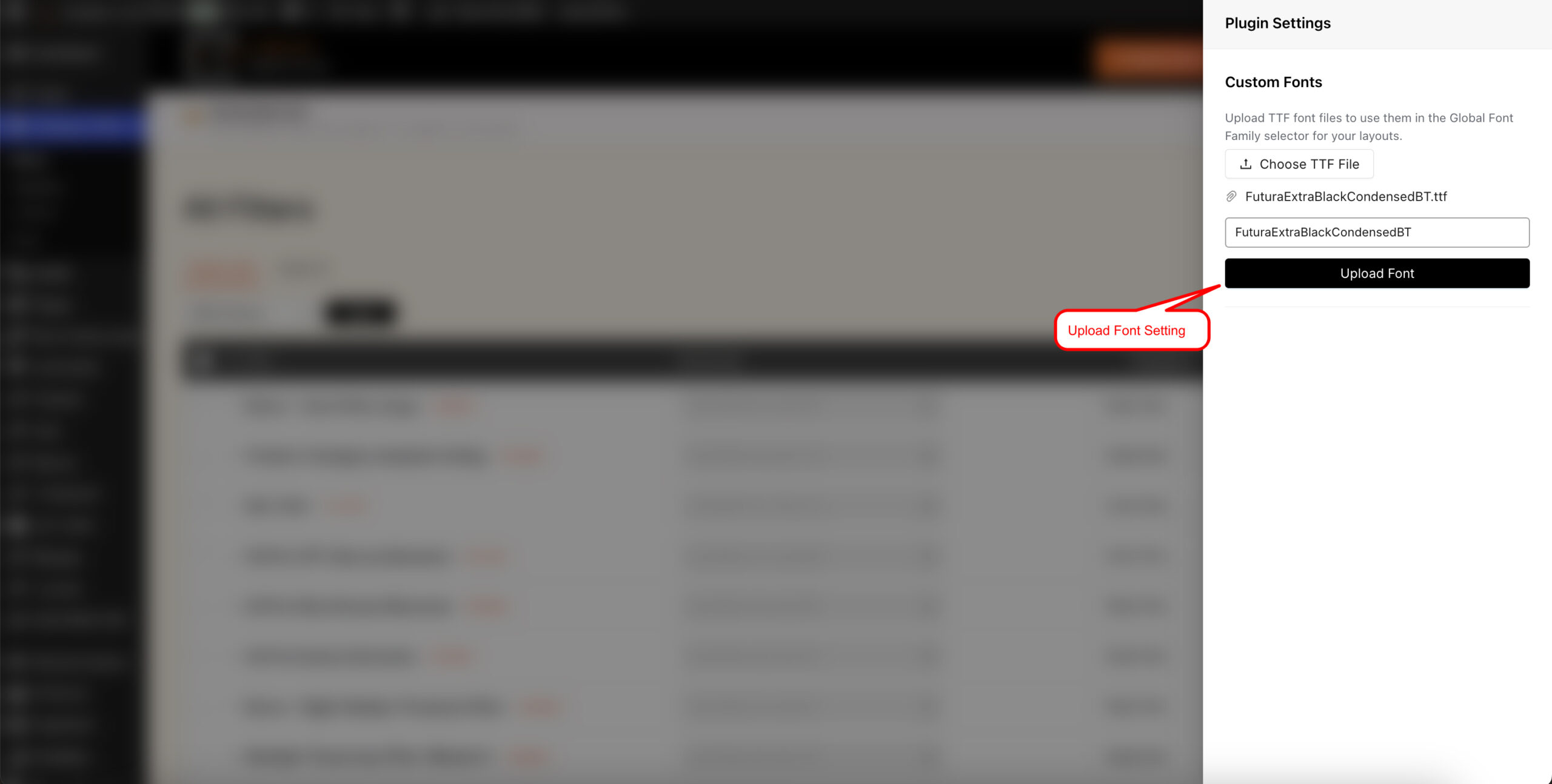
Upload once, and the font is available to every filter.

Tip
Once it's uploaded you can use it like any other font: set it as a filter's Global Font Family, or pick it for one element in the Text group of the Design tab.

Warning
Check you're licensed to use the font on a website before uploading it. Plenty of typefaces are licensed for print or desktop use only, and web use is a separate right - the foundry's licence will say.
FAQ
What file format do I need?
A TTF file. Convert other formats before uploading.
Where do I add custom fonts?
Plugin Settings, opened from the All Filters screen - not from inside the builder.
Does the font apply to one filter or all of them?
All of them. It's added at plugin level, so it appears in the font selector for every filter.
The detected name isn't what I expected - can I change it?
Yes - edit the field before uploading. That's the name you'll see in the font selector.
Where does the font appear after uploading?
In the Global Font Family selector, alongside the Google Fonts.
Was this page helpful?
Thanks for your feedback!