
Global font settings
Global Font Family sets the typeface for the whole filter in one place, so you aren't choosing a font on every element you add.
In short
Set Global Font Family under General Settings in Global Settings. Everything still on its default follows it. Set a font on a particular element in the Design tab and that element keeps its own from then on, whatever you change globally afterwards. The list holds Google Fonts along with any custom fonts you've added.
Setting the filter's font
Open Global Settings from the gear icon in the top bar. Global Font Family sits under General Settings, alongside the post type. Pick a font and every element still using its default picks it up.
The list runs to the full Google Fonts library, so it's a searchable field rather than a plain dropdown - start typing a name and it narrows as you go. Scrolling to find a font alphabetically works, but typing three or four letters is faster.
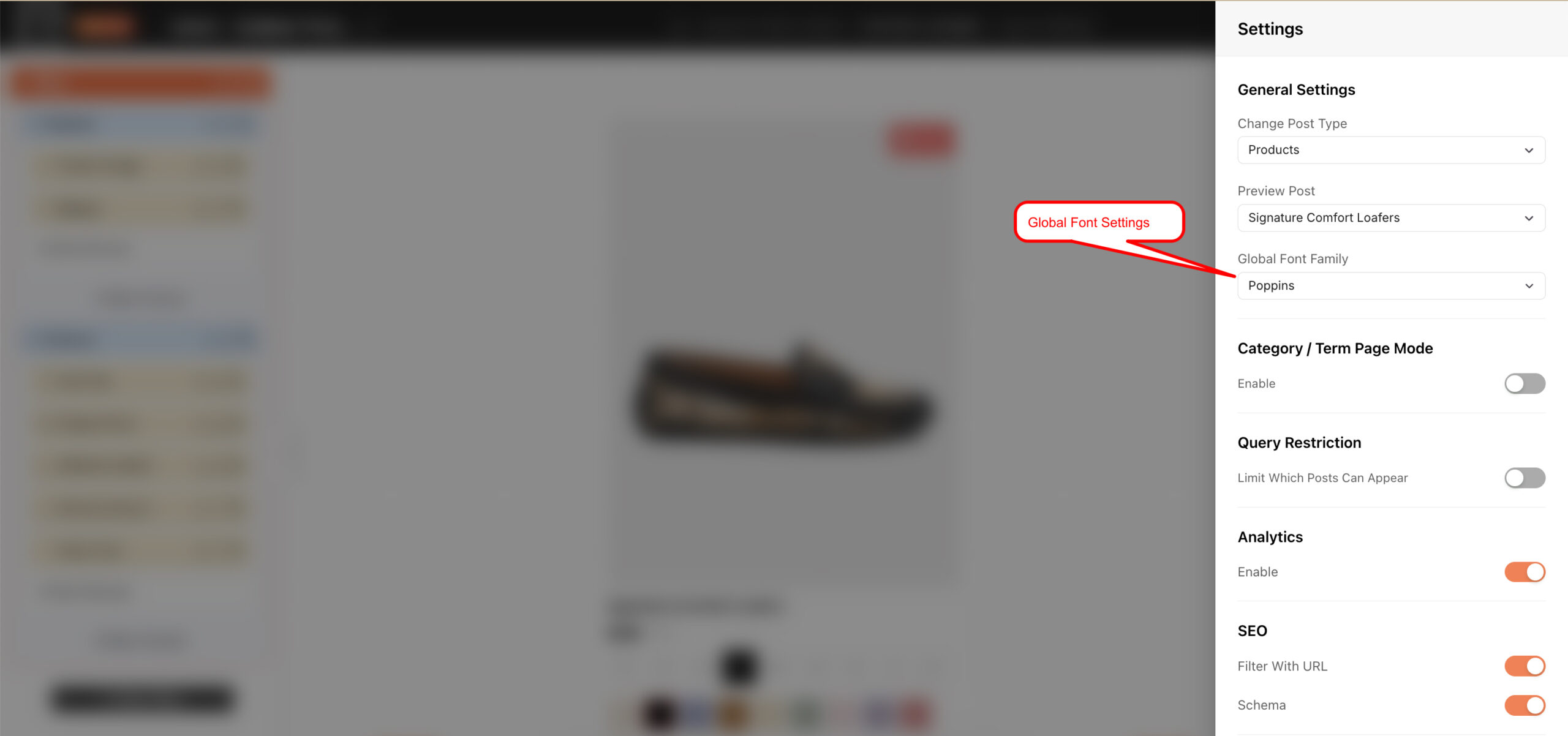
Type to narrow the list rather than scrolling it.
How it works with element fonts
The global font is a default, not an override. Any element still on its default follows it, which is most of them most of the time. But choose a Font Family for a particular element in the Text group of its Design tab and that element now has a font of its own - it keeps it, and later changes to the global font leave it alone.
That's usually what you want: set the filter's typeface once, then deviate deliberately where a heading or a label calls for something different.

Tip
Changed the global font and some text stubbornly didn't change? That element has a font of its own. Use the reset arrow beside its Font Family in the Design tab to clear it, and it falls back in line with the global setting.
Using your own fonts
The dropdown lists Google Fonts as standard, and any fonts you've added yourself appear alongside them - so a brand typeface can be set globally just like anything else. See Custom fonts.
FAQ
Where do I set the global font?
Global Settings, under General Settings - open it from the gear icon in the top bar.
I changed the global font but some text didn't change - why?
That element has its own Font Family set in the Design tab, which takes precedence over the global one.
How do I make an element follow the global font again?
Reset its Font Family in the Design tab's Text group, using the reset arrow beside the control.
The font list is huge - can I search it?
Yes - the field is searchable. Start typing the font's name and the list narrows.
Can I use a font that isn't in the list?
Yes - add it as a custom font and it appears alongside the Google Fonts.
Was this page helpful?
Thanks for your feedback!