
How to navigate the builder
Move between the builder's three steps from the top bar or the Back and Next buttons - or start from the All Filters screen and land straight on the step you want.
In short
Inside the builder, the breadcrumb at the top centre jumps to any step, and the Back and Next buttons at the bottom corners move one step at a time. From the All Filters screen, the Navigation column opens a filter directly on the step you choose.
From the All Filters screen
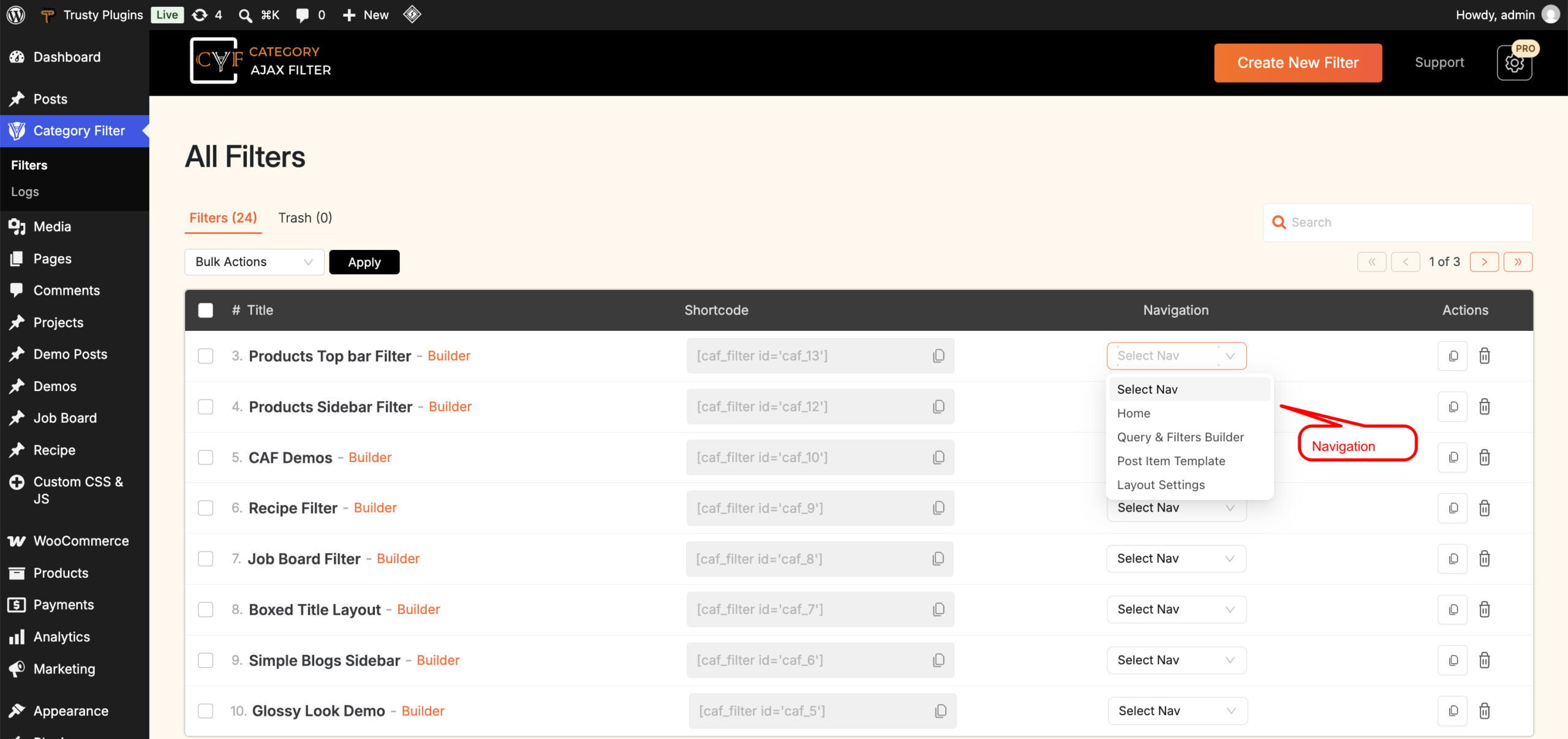
You don't have to open the builder and then find your way to the right step. On the All Filters screen, every filter row has a Navigation column with a Select Nav dropdown listing Home, Query & Filters Builder, Post Item Template and Layout Settings. Pick one and the filter opens on that screen.
Inside the builder
Once you're in the builder there are two ways to move around, and neither is more correct than the other.
The breadcrumb
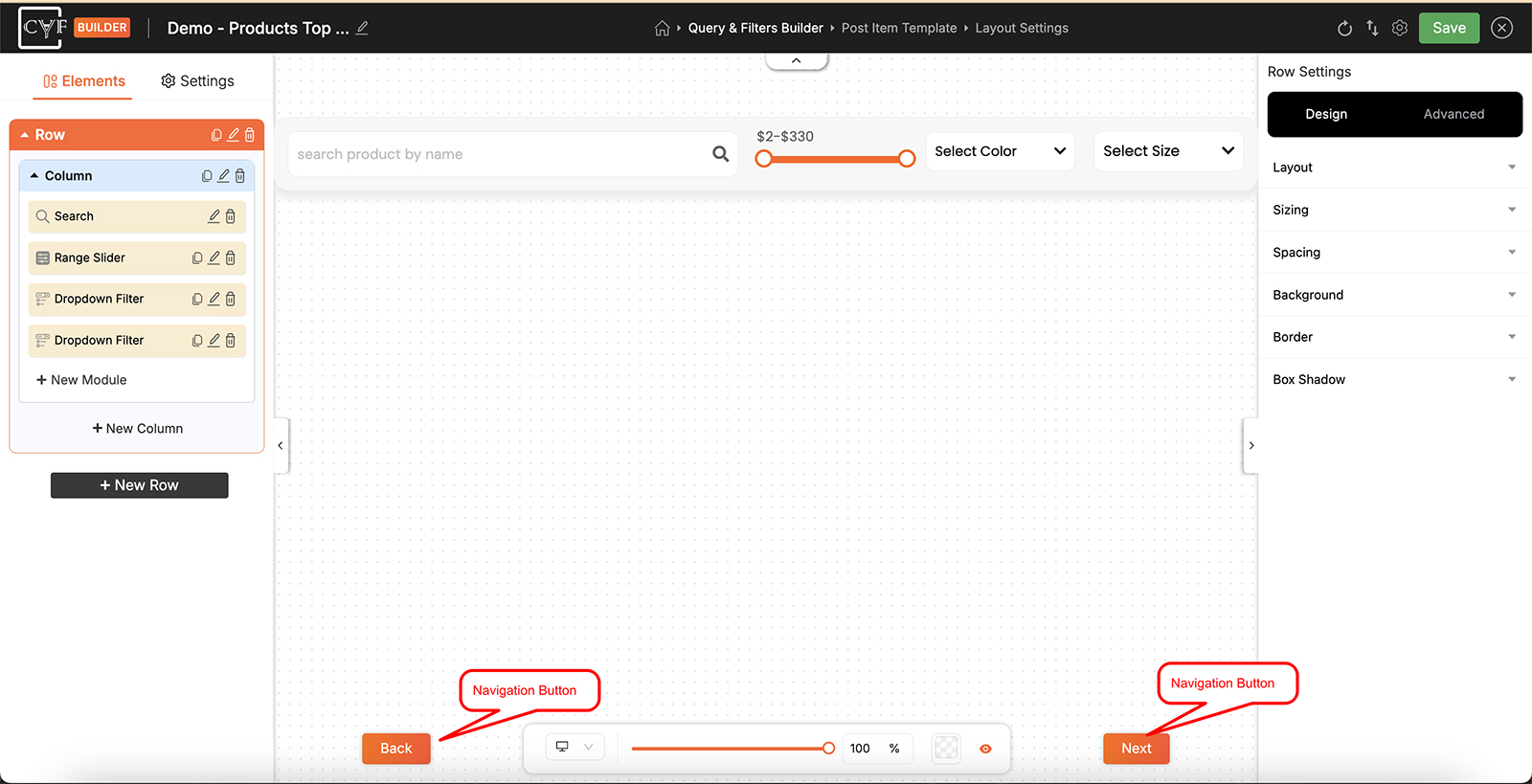
The top centre of the screen lists all three steps in order - Query & Filters Builder, Post Item Template, Layout Settings - with the one you're on highlighted. Click any of the others to jump straight there. The house icon just to its left goes to Build Your Layout, the same screen as Home in the All Filters dropdown.
Back and Next
Back sits in the bottom-left corner and Next in the bottom-right. These move you one step at a time, which is the easiest way to work through a filter you're building for the first time.

Tip
The steps are numbered, but nothing is locked - you can move between them in any order and come back as often as you like. See The 3-step flow for what each step is for.
FAQ
Can I open a filter on a specific step without going through the builder?
Yes - use the Navigation column on the All Filters screen and choose the step you want.
How do I jump straight to a different step once I'm in the builder?
Click it in the breadcrumb at the top centre. All three steps are listed there, whichever one you're on.
What does the house icon do?
It takes you to Build Your Layout, the screen showing all three steps as cards - the same place as Home in the All Filters dropdown.
Do I have to go through the steps in order?
No - you can move between them freely at any time.
Was this page helpful?
Thanks for your feedback!