
All searches report
The words people type, and whether those words worked.
In short
The All Searches tab lists every term typed into your filter's search box, how many times it was searched, and the average number of results it returned. That average is the useful part: it tells you not just what people looked for, but whether they found anything.
Reading the list
| What you see | What it means |
|---|---|
| The search term | Exactly what the visitor typed. |
| The average results | How many results that search returned, averaged across the times it was made. |
| The count | How many times it was searched in the period. |
Search terms are the most direct thing in this whole screen. A filter click tells you someone picked from what you offered; a search tells you what they wanted before they saw your options - in their own words, unprompted.
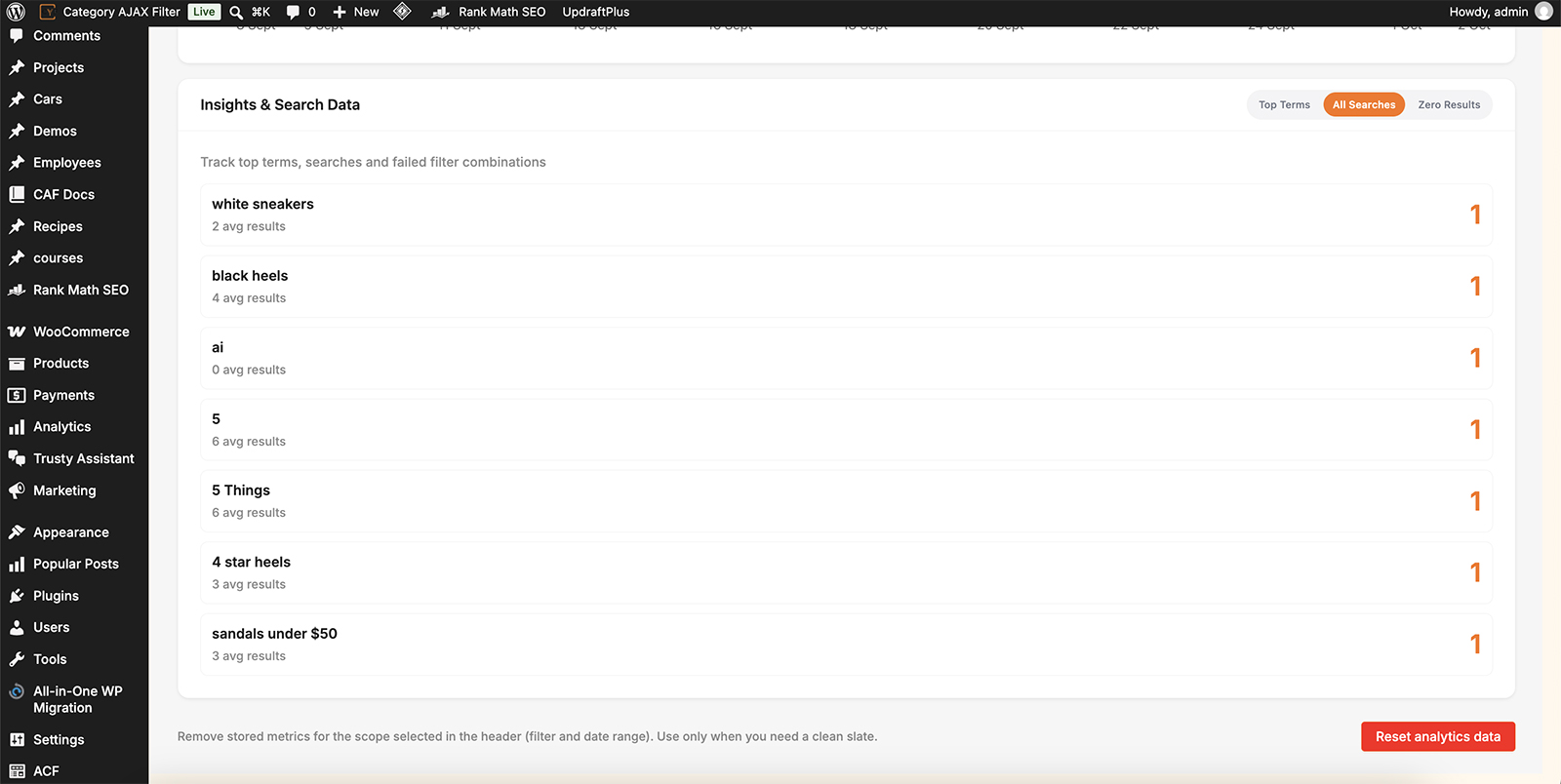
What was typed, how often, and how well it worked.
What the average results figure tells you
It's a quality score for each search, and it fails in two directions.
| Average results | What's happening | What to look at |
|---|---|---|
| Zero | The search found nothing. Either you don't have it, or you have it under a name they didn't use. | The Zero Results tab, where these are listed in full. |
| Very high | The search barely narrowed anything. A term matching most of your catalogue isn't helping anyone choose. | Which fields are being searched, and whether the term is too generic to be worth matching. |
| A handful | The search worked. The visitor got a short, relevant list. | Nothing - this is what you're aiming for. |
The high-average case is the one people miss, because it doesn't look like a failure. Nobody complains about a search that returns four hundred products, but a visitor who searched and got a list barely shorter than the one they started with has learned that searching your site doesn't help.
What to do with it
Read the terms as vocabulary. People search using the words they already have, and where those differ from yours, the gap is yours to close - they can't guess your naming.
- A term that finds nothing but describes something you sell: your product is named differently. Add their word to the title or description rather than expecting them to find yours.
- A term searched often that finds plenty: worth being a filter of its own, so nobody has to type it.
- A term that finds far too much: too generic to help, and a sign the search may be reaching into fields it shouldn't.
Which fields a search reads is set on the Search filter module. Narrowing it to titles gives sharper results; widening it to content or custom fields catches more but returns more too. If the same words keep failing in slightly different forms, AI Search matches on meaning rather than the exact wording, which closes a lot of these gaps without renaming anything.

Tip
Search terms are the closest thing you have to your visitors talking to you. A term typed repeatedly across a long date range is a request - for a product, a category, or a word you're not using - and it costs nothing to act on.

Note
The average is across every time that search was made, so one search returning nothing and another returning ten shows as five. Where the number looks odd, the count beside it tells you how much weight to give it.
FAQ
What does avg results mean?
The average number of results that search returned across the times it was made.
Nothing is listed here.
Either no one has searched in this period, or the filter has no Search module. Analytics also has to be switched on for that filter.
A search shows zero average results.
It found nothing every time. The Zero Results tab lists these together, and it's the better place to work through them.
A search returns hundreds of results. Is that a problem?
Usually yes - it means the search isn't narrowing anything. Check which fields the Search module is reading.
How is this different from the Zero Results tab?
This shows every search. Zero Results shows only the ones that found nothing, along with failed filter combinations.
Was this page helpful?
Thanks for your feedback!