
Top terms report
Which choices visitors actually make.
In short
The Top Terms tab lists the filter choices visitors clicked, most-used first. Each row shows the term, the taxonomy or custom field it belongs to, and how many times it was chosen. It's the tab that tells you which of your filters are earning their place - and which terms deserve to be easier to reach.
Reading the list
Every row is one term, with three things on it.
| What you see | What it means |
|---|---|
| The term name | The choice as a visitor sees it in the filter. |
| The source beneath it | The taxonomy or custom field the term belongs to. |
| The count | How many times it was chosen in the period. |
The source line matters more than it looks. Two taxonomies can hold terms with the same name - a category and a product attribute both called Blue - and without the source you'd read them as one. It also tells you which filter module is doing the work, which is the first thing to know when a number surprises you. The list follows the scope set in the header, so it changes with the filter and date range you chose on Analytics dashboard.
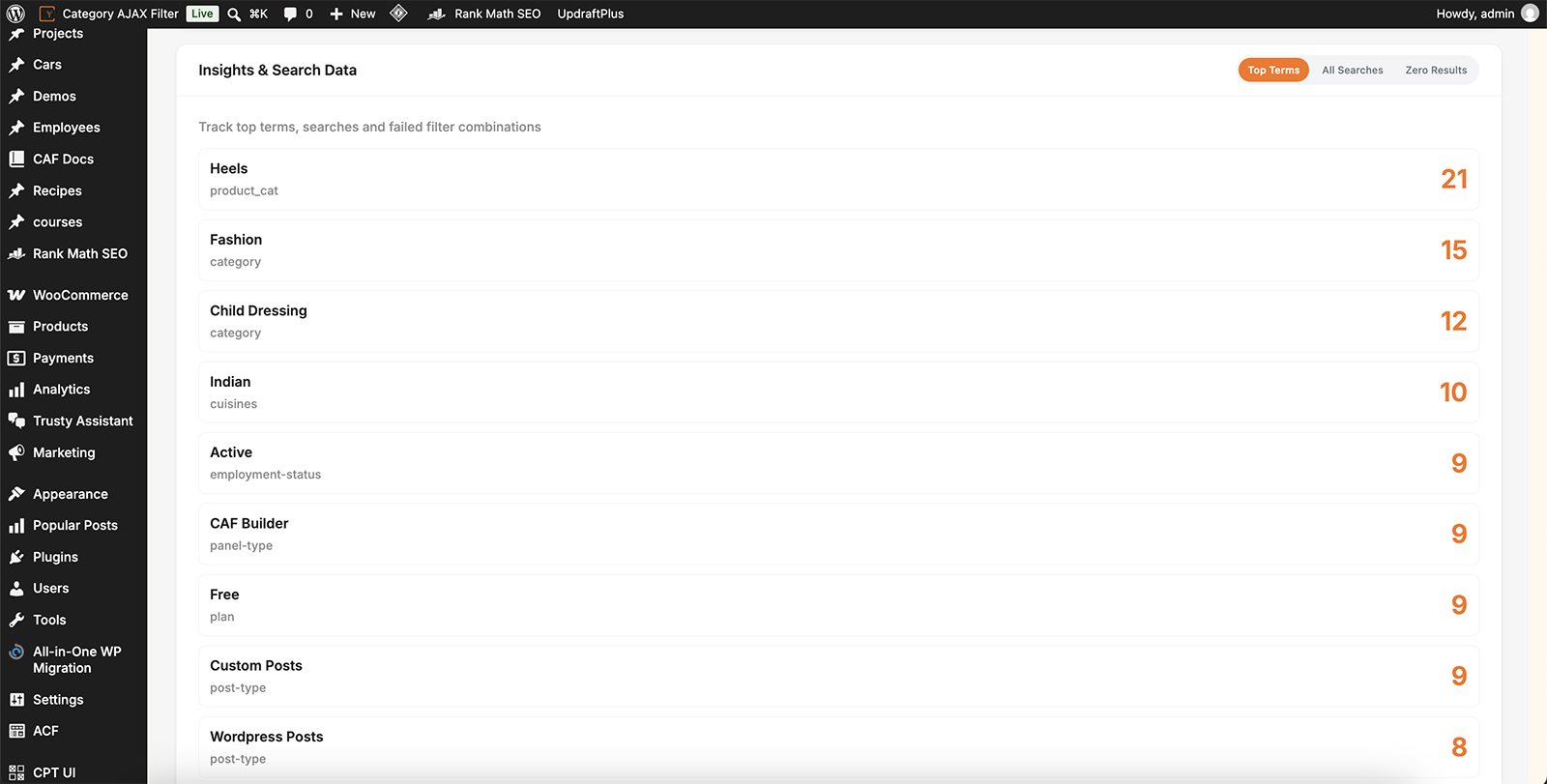
Terms ordered by use, each with its source and count.
What to do with it
This tab is mostly useful for two decisions: what to make easier to reach, and what to stop offering.
What to do with it
A term near the top of this list that sits near the bottom of your filter is costing people scrolling for no reason. Reorder it with Sort filter terms & categories, and if the filter uses a visible limit, check the popular terms are inside it rather than hidden behind Show More.
Question the ones that never appear
Terms absent from this list over a long date range aren't being used. That's not automatically a reason to remove them - a term nobody picks may still be one a few people need - but a filter made mostly of unused terms is asking visitors to read a lot for very little. Trimming the term list in the module's Data Source often makes the rest work better.
Judge whole filters, not just terms
Group the rows by their source and you can see which taxonomies people filter on at all. A taxonomy that barely appears is a filter module you could remove - and every module you remove makes the remaining ones easier to find.

Tip
Read this against a long date range rather than a short one. A week tells you what was popular last week, which is often a campaign or a season rather than a pattern. All Time is what tells you how people use the site.

Note
A high count means a term was chosen often, not that it satisfied anyone. A term people click and then abandon looks identical here to one that found them exactly what they wanted - the Zero Results tab is where the difference shows.
FAQ
What's the smaller text under each term?
The taxonomy or custom field the term belongs to.
Why do two rows have the same name?
They're terms from different taxonomies. The source line is what tells them apart.
Does this cover all my filters?
It covers whatever the header is scoped to - one filter, or all of them.
A term I expected isn't listed.
It hasn't been chosen in the period you're looking at. Widen the date range before concluding anything.
How do I move a popular term to the top of the filter?
Reorder the terms with the Sort option on that filter module.
Was this page helpful?
Thanks for your feedback!