
Post date module
When it was published, written the way your readers expect.
In short
Post Date shows each result's date. A format setting decides how it's written - four ready-made patterns, or a custom one of your own - and with Pro a prefix and suffix can sit either side of it.
Date Format
The only setting that does real work here. Four patterns are offered, plus a custom option.
| Format | How the date reads |
|---|---|
| D/M/Y | Day first, then month and year - the usual form across most of the world. |
| M/D/Y | Month first - the American form. |
| Y-M-D | Year first. Sorts correctly as text, and reads as technical rather than editorial. |
| F J, Y | The month written out in full, then the day and year. |
| Custom | Your own pattern, using the same format characters WordPress uses elsewhere. |
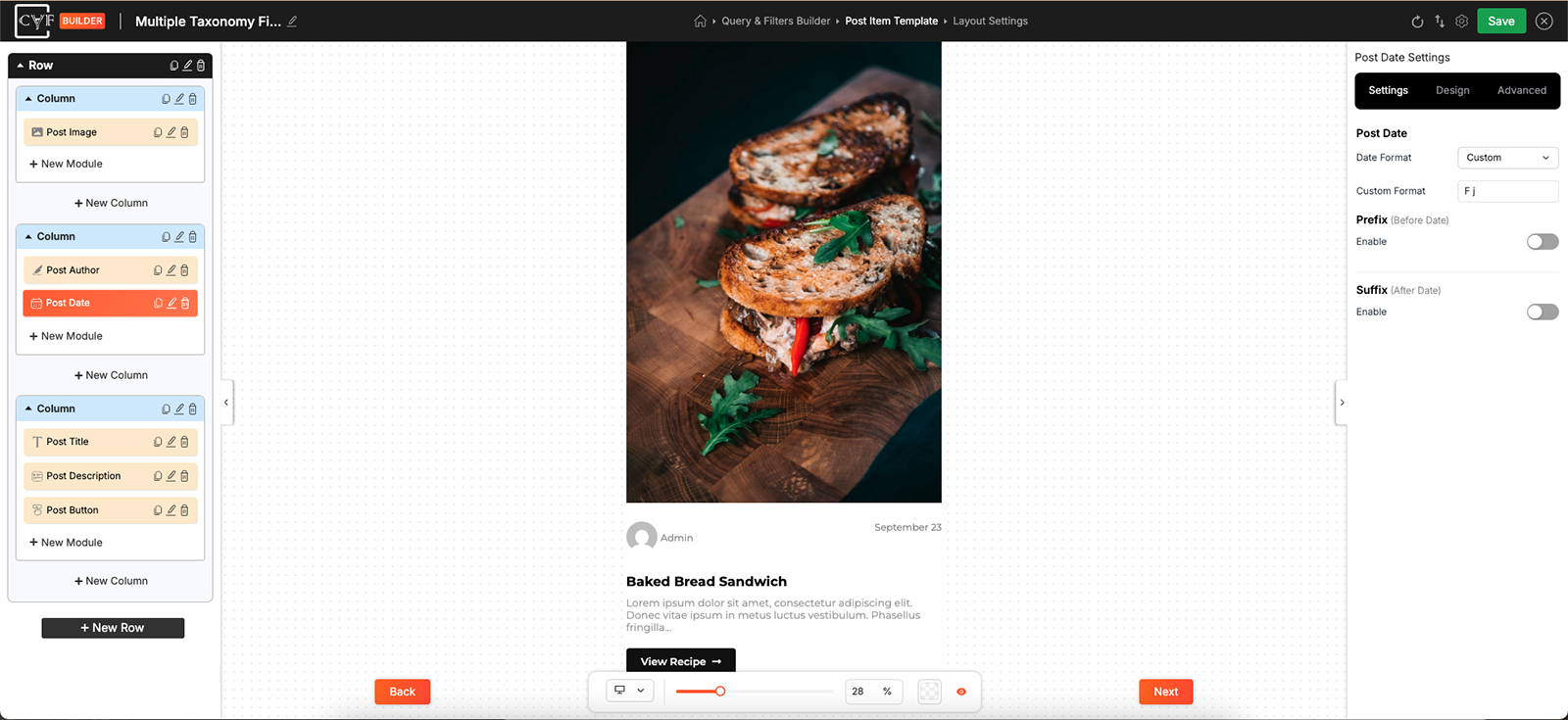
Four ready-made patterns, and a custom option.

Tip
Numeric dates are ambiguous across borders: 07/08 is July the eighth to one reader and the seventh of August to another. If your audience isn't all in one country, the format with the month written out removes the question entirely.
Prefix and Suffix
The date comes from the post. What you can add is something before it and something after it.
| Setting | What it does | Plan |
|---|---|---|
| Prefix | Something before the date. Switch it on and set it - a word, or an icon. | ★ PRO |
| Suffix | Something after the date. Same again, chosen separately. | ★ PRO |
A date that says what it is
On its own a date is just a number, and a reader has to guess whether it is when something was published, added, updated or happens. With CAF Pro a prefix and suffix sit either side of it, as a word or an icon, so the date can say what it means - Published, Added, Starts - instead of leaving it to be inferred. The format itself is free either way.
Styling
How it looks comes from the Design tab, with the usual groups - Layout, Text, Sizing, Spacing, Background, Border and Box Shadow - and Layout arranges the date against whatever sits beside it.
A date is supporting information in most listings, so it usually wants to be smaller and lighter than the title above it. It's rarely the thing anyone came for.
FAQ
How do I change how the date is written?
Date Format. Four patterns are offered, plus Custom.
Can I use a format that isn't listed?
Yes - choose Custom and write your own pattern.
My date is showing in the wrong order.
You've likely got D/M/Y where you wanted M/D/Y, or the other way round.
Can I put a word before the date?
Yes - switch on the prefix and set it.
Was this page helpful?
Thanks for your feedback!