
Post title module
The name of each result, with room for something either side of it.
In short
Post Title shows the title of each post or product in your listing. It can link to the post or to an address held in a custom field, and it can carry a prefix before it and a suffix after - each of which can be text or an icon. All three parts can be styled separately. Two things here need Pro: linking to a custom field, and the prefix and suffix.
Link Settings
Switch Link on and the title becomes clickable.
| Setting | What it does | Plan |
|---|---|---|
| Post URL | The title links to the post or product it belongs to. | ✓ FREE |
| Custom Field | The title links to an address held in a custom field, for results that should lead somewhere else. | ★ PRO |
| Open In | Whether the link opens in the same window or a new one. | ✓ FREE |
A linked title is what most visitors reach for, so this is one to leave on unless something else in the item is carrying the click.
Prefix and Suffix
The title itself comes from the post and can't be edited here - but you can add something before it and something after it, and those are yours to set.
| Setting | What it does | Plan |
|---|---|---|
| Prefix | Something before the title. Switch it on, choose Text or Icon, and set it. | ★ PRO |
| Suffix | Something after the title. Same again, chosen separately. | ★ PRO |
What Pro adds to the title
Two things. The prefix and suffix are Pro, and they are what let a title carry something of its own - a small mark before it, an arrow after it pointing at the link - without touching the post title itself. And the link can point at an address held in a custom field, so a result leads to a booking page, an external listing or a supplier's site instead of its own post. On the free version the title shows as written and links to the post it belongs to.
Because each side takes an icon as well as text, a prefix can be a small mark rather than a word - a bookmark, an arrow, a category symbol - and a suffix can be an arrow pointing at the link. Neither has to be a label.
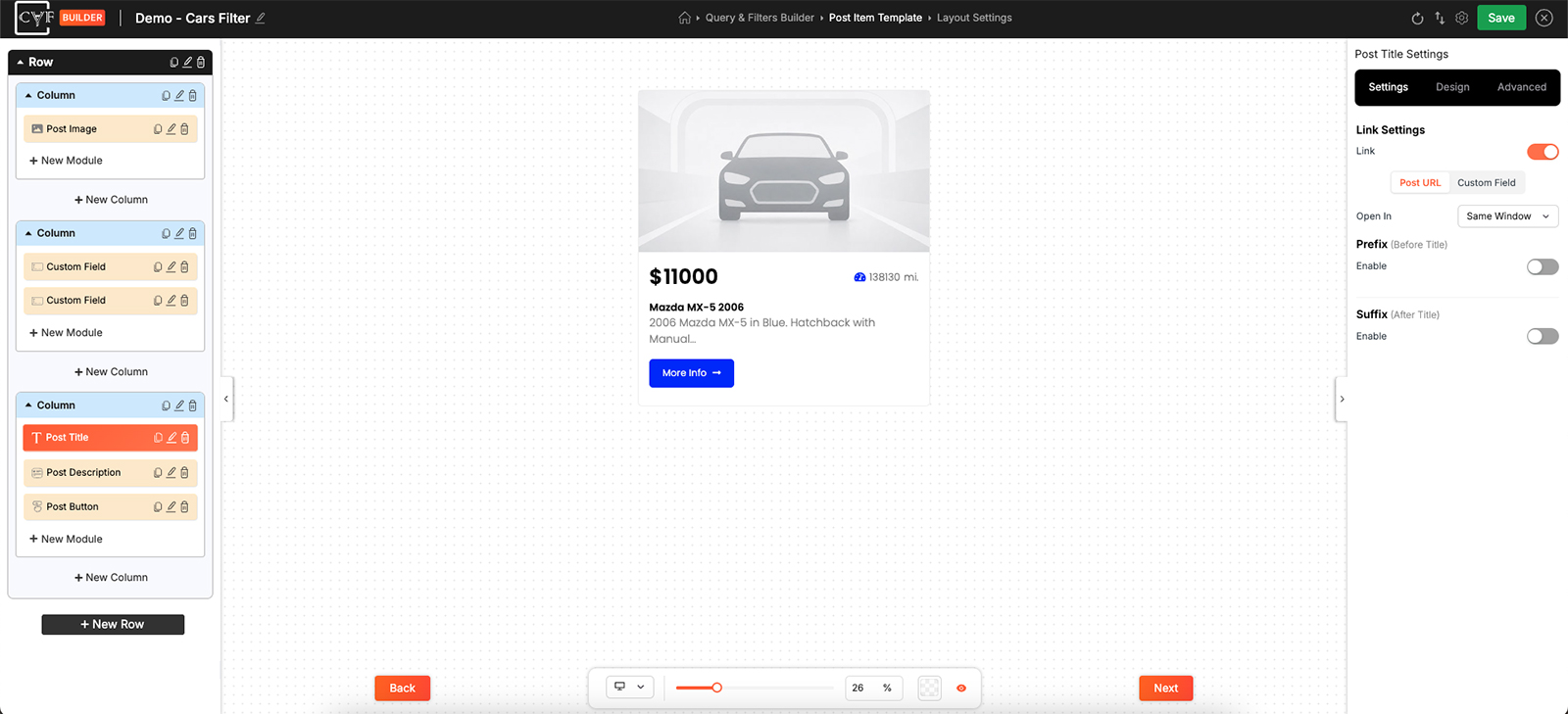
Each side switched on independently, as text or as an icon.

Tip
Anything you put here appears on every result, so it has to make sense against all of them. Wording that reads well beside one title often reads oddly beside the next - check it against your longest and shortest before settling.
Arranging the three parts
With a prefix or suffix showing, the title is three pieces rather than one, and the Layout group on the Design tab arranges them - Direction for the order they run in, Align for how they line up, and Gap for the space between. It behaves as described on Flex layout settings, so the alignment options include space between, which pushes the prefix and suffix to opposite edges with the title in the middle.
Styling each part
On the Design tab, the Text group offers three targets: All for the whole thing, and Prefix and Suffix for those parts on their own. Default and Hover sit alongside.
There's no separate target for the title itself, which is the useful part: set the look you want for the title under All, then dial the prefix and suffix back - smaller, lighter, a quieter colour - and the title stays the thing people read first.
Hover is worth setting whenever the title is linked. It's the largest piece of text in most items, and a visitor moving a cursor over it expects some response.
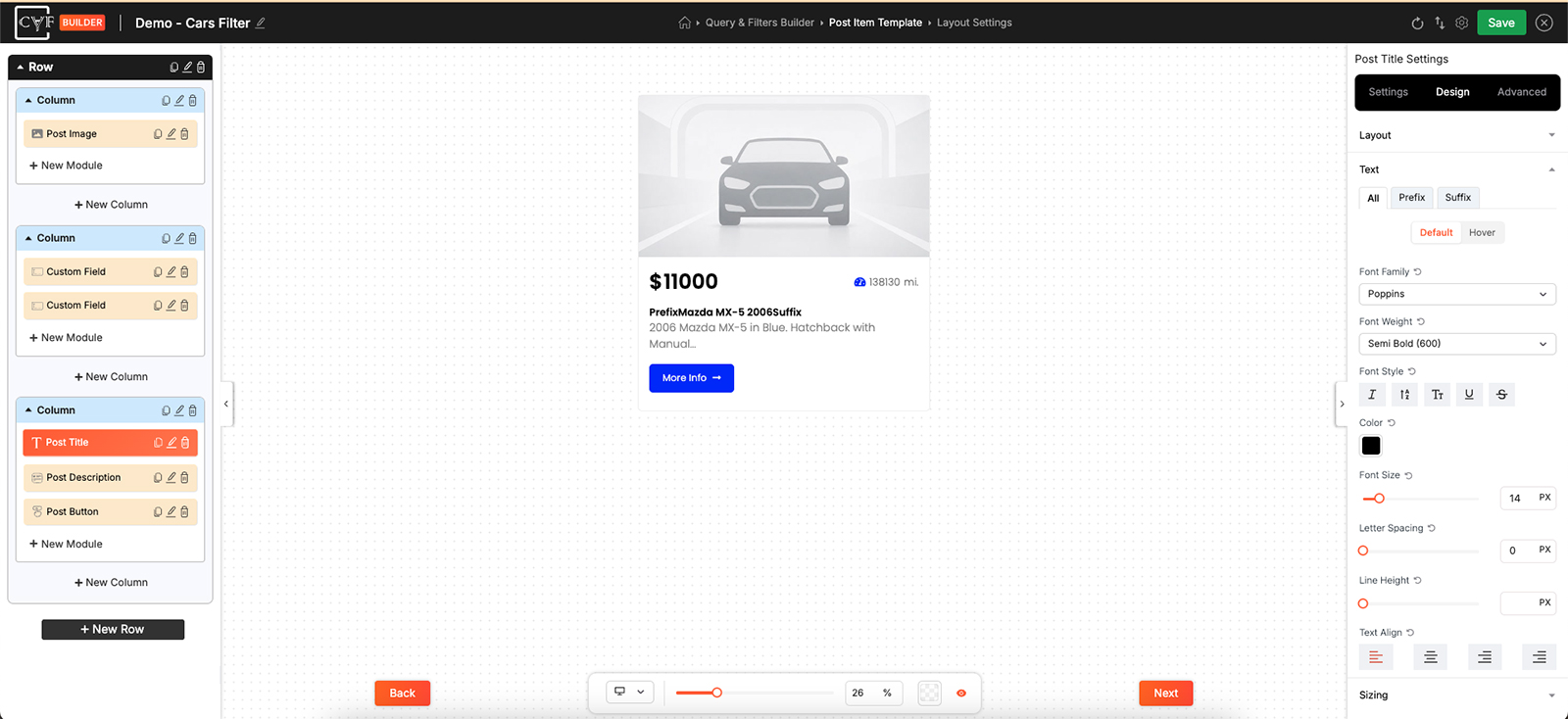
Three targets, so the additions can differ from the title.
The rest of the groups - Sizing, Spacing, Background, Border and Box Shadow- work as they do everywhere else.
FAQ
Can I edit the title text?
No - it comes from the post. The prefix and suffix are where you add wording of your own.
Can the prefix be an icon instead of text?
Yes - set its Content Type to Icon. Each side is chosen separately.
Can the title link somewhere other than the post?
Yes - set the link to Custom Field and hold the address there.
Can the prefix and suffix look different from the title?
Yes. Style All the way you want the title, then set Prefix and Suffix differently.
How do I push the prefix and suffix to opposite edges?
Set the Layout group's alignment to space between.
Was this page helpful?
Thanks for your feedback!