
Custom text module
Words of your own, anywhere in the filter.
In short
Custom Text puts a piece of text wherever you place it in the filter. Type the content, optionally add an icon and choose which side it sits, and style it like anything else. It filters nothing - it's there to explain, introduce or separate.
What it's for
Every other module in the filter does something. This one just says something, which turns out to be useful more often than you'd expect:
- A heading over a group of filters, where the individual labels aren't enough on their own.
- A line of guidance - what the filters do, or how to combine them.
- A note about the results: delivery times, stock, anything a visitor should know before choosing.
- A divider between sections of a long filter, so it reads as parts rather than one run.
Settings
| Setting | What it does |
|---|---|
| Content | The text itself. |
| Show Icon | Adds an icon alongside. Switch it on and you choose which. |
| Icon Position | Whether the icon sits before the text or after it. |
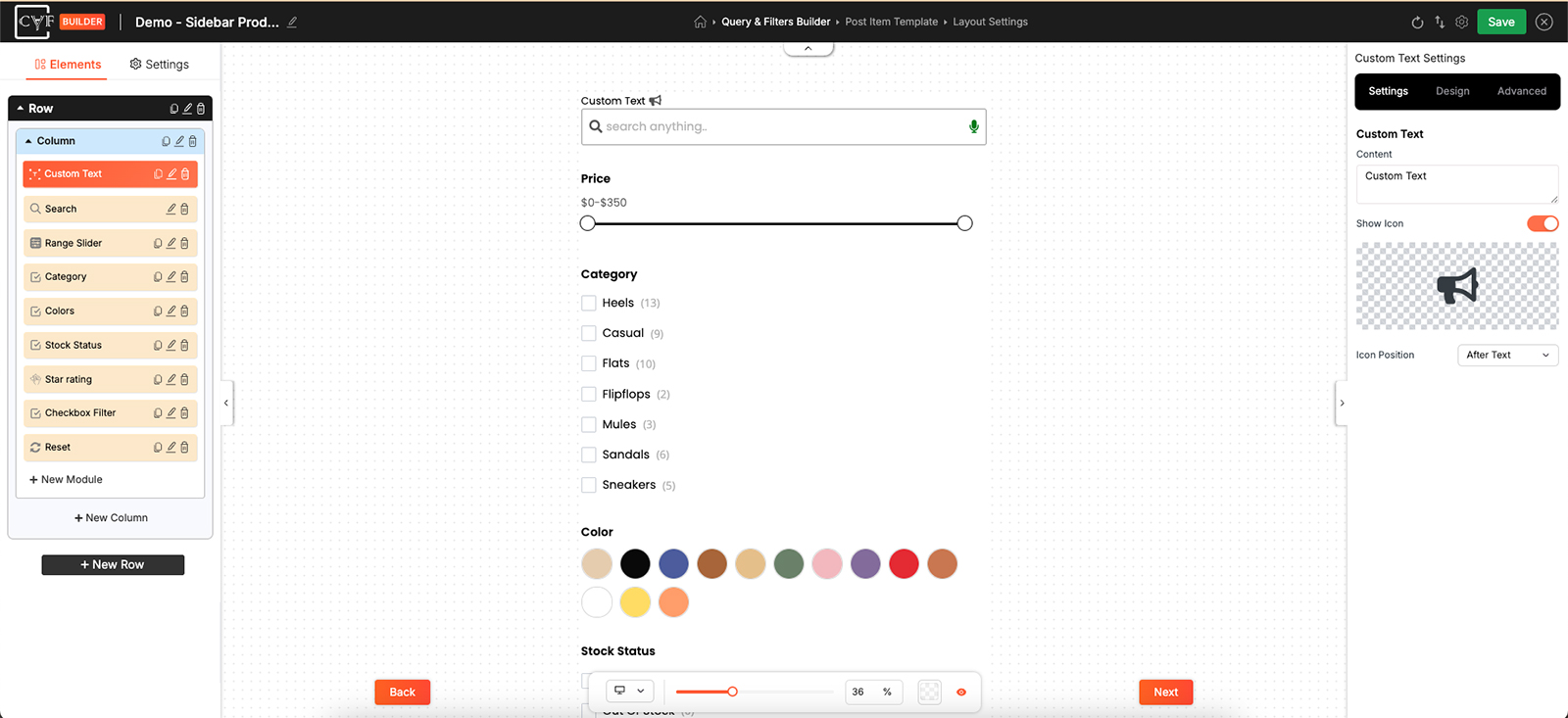
Content, an optional icon, and which side it sits.
Styling
How it looks comes from the Design tab, with the usual groups - Layout, Text, Sizing, Spacing, Background, Border and Box Shadow - which is what lets the same module be a bold heading, a small grey note, or a boxed callout.
A heading wants weight and space above it; a note wants to be smaller and lighter than the filters around it. The module doesn't decide which of those you're making - the styling does.

Tip
Keep it short. A filter panel is somewhere people are trying to get through, not somewhere they stop to read, and a paragraph here pushes the actual filters further down the page.
FAQ
Does this filter anything?
No. It shows text, nothing more.
Can I use it as a heading?
Yes - that's one of its main uses. Style it with weight and spacing on the Design tab.
Can the icon go after the text?
Yes - Icon Position.
Can I add more than one?
Yes. Place as many as the filter needs, wherever you need them.
Was this page helpful?
Thanks for your feedback!